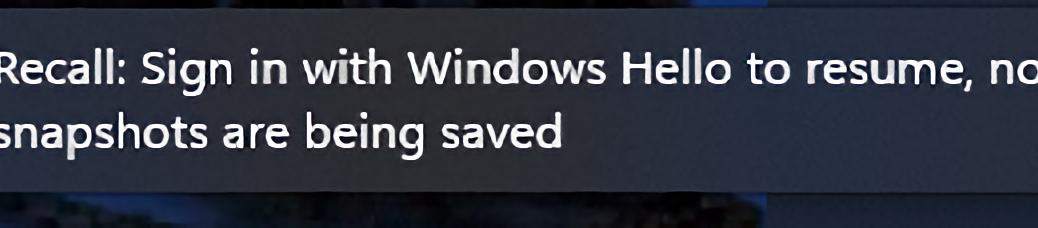
Here at Chez Tittel, there are 9 PCs in my office (6 laptops, 3 desktops). I tend to remote into 8 of those 9, working from my primary desktop. It’s running an Asrock B550 Extreme 4 with AMD Ryzen 7 5800X CPU, 128GB RAM, and an NVIDIA 3070Ti GPU. When I remoted into the ASUS Zenbook A14 this morning, a seemingly innocuous notification popped up in the RDP window, lower right. That notification reveals RDP Recall Gotcha that reads “Recall: Sign-in with Windows Hello to resume, no snapshots are being saved.”
When Notification Reveals RDP Recall Gotcha , Then What?
I followed the notification’s instruction: Walked up to the laptop, and let the camera log me in locally via facial recognition. When I fired up the RDP session again, there was no such notification showing. So, I checked Windows Hello status, and it shows that facial recognition is enabled and working for my phiz.
Then I checked Recall settings. It shows two interesting facets to what is apparently a real and present RDP gotcha:
1. For RDP to work, it’s necessary to turn off “Require Windows Hello login” in Sign-in Settings (aka “enhanced sign-in security”). For Recall to work this must be enabled.
2. Lack of enhanced sign-in security apparently makes the RDP session behave as if Windows Hello is neither enabled nor defined on this system.
Can you say “Catch-22?” Looks like if you want to use Recall on a Copilot+ PC, you can only do so through a local login. At least for me, it doesn’t work through RDP. Good to know! Though I can’t say I like this much, it is important to understand the limitations of Recall for users who might wish to take advantage of its capabilities.
Looks like Recall requires local operation. My conclusion: To use Recall (and I presume other AI features) go local, or go home. It’s always something, here in Windows-World.

