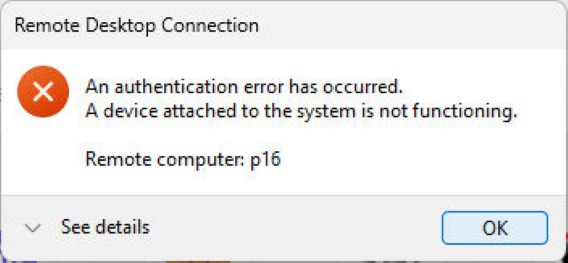
I’m still struggling with reboot issues on Flo6. Lately, I have to go through the infamous “new CPU detection” alert, then deny it, before I get into Windows 11. After multiple such reboots just now, I elected to stay logged in and get some work done. No such luck: my ongoing reboot issues affect RDP. On the way to a working session, I got the mysterious error window you see as the lead-in graphic.
Why Do Ongoing Reboot Issues Affect RDP?
It seems that multiple successive reboots in Windows 11 can impact RDP. This can lead to stale RDP capability caches, stale virtual device handles, TPM/Hello falling shy of full initialization, mismatched channel GUIDs, and more. In short, things get shook up and need to settle down.
What’s interesting — and amusing — about this error is that it’s not really an error. Closer inspection reveals it carries error and extended error codes that are null (0x0) in value. And indeed, right after the error window popped up, an RDP session into P16 opened up and worked like a champ.
What Happened Here?
Though it’s reported as an authentication error, it actually occurred during virtual channel negotiation between Flo6 and P16. Naturally, that indicates both devices were working just fine, thanks, and trying to get together. Copilot speculates — and I concur — that the most likely culprit is a Windows Hello redirection problem. (That’s mostly guaranteed by my turning fTPM off on one boot to kick start that process, then turning it back on.)
Boy howdy, things do sometimes get strange here in Windows-World, though. On the whole, I’d rather have a bogus error that fixes itself (or isn’t really an error) than have a serious glitch that requires further troubleshooting. I’ve had enough of that already today, thanks very much!

