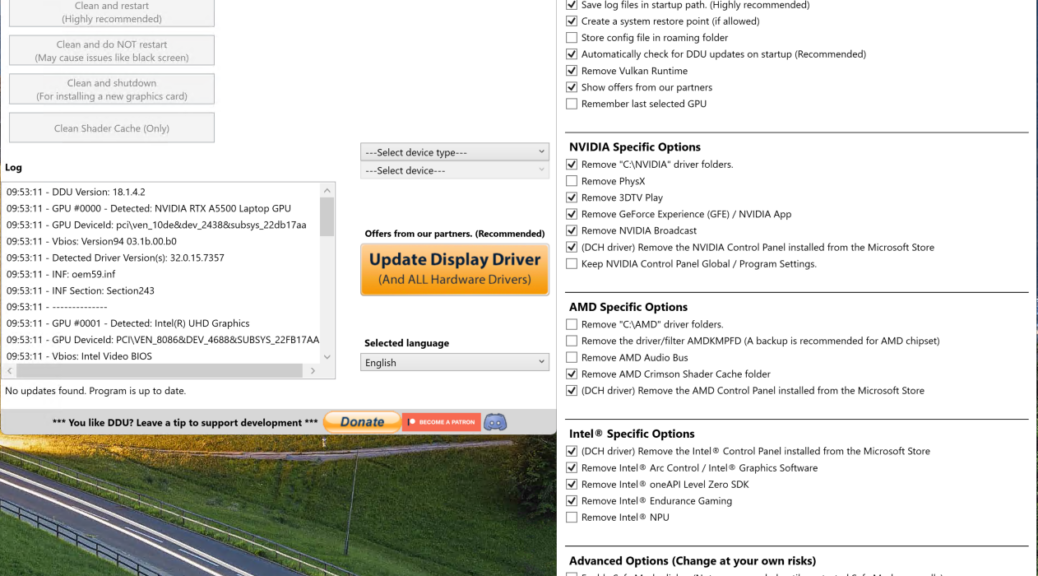
Today’s blog post is a paean to a tool named Display Driver Uninstaller, popularly known as DDU. It’s long been part of most Windows admin and power user toolboxes. DDU comes from Wagnardsoft, but well-known 3rd-party mirrors also include Guru3D and TechPowerUp. DDU remains a useful tool at completely replacing GPU drivers and their Windows infrastructure when graphics go wrong. It’s also a great way to switch from one GPU type to another. Say, from NVIDIA to AMD, or vice-versa, or even from one of them to Intel ARC. TL;DR version: DDU fixes GPU driver disasters and lets you switch types with little muss or fuss.
Why Say: DDU Fixes GPU Driver Disasters?
Over the past 9 days, we’ve seen an unusually fast series of NVIDIA Game-Ready GPU drivers (with one evanescent Studio driver on February 26). That Thursday saw both versions make an appearance that provoked immediate issues and outcry; version 595.59 was withdrawn less than two hours after its release.
Then on Monday, March 2, NVIDIA fired off Game-Ready version 595.71. Users soon began reporting diminished performance from this driver (especially for certain, GPU-intensive games). Further inspection (using tools like GPU-Z) observed that it imposed voltage caps on RTX 50-series GPUs to limit damage potential. At the time, I wondered if this wasn’t like putting “chewing gum on top of baling wire” to fix things.
On March 4, 2026 (Wednesday), NVIDIA dropped a hotfix to address these issues, in the form of 595.76. It addressed the voltage capping, and a variety of other game-specific glitches and gotchas. Since then, things on the NVIDIA Game-Ready driver front are steady, if somewhat uneasy. This is the first time in YEARS that the company has had two unstable Windows Hardware Quality Labs (WHQL) designated drivers follow in quick succcession.
Rollback Versus Deep Cleanup
So far, users have been able to recover from these updates without lingering issues. In the past, GPU driver glitches have resulted in black or stuttering screens, serious and ongoing display disturbances (aka “screen artifacts”), driver store damage, or bothersome system or GPU installer instability or crashing. When those things happen, that’s when DDU comes into its own. It cleans up all of the old GPU driver stuff and gets rid of whatever’s causing problems, then lays down a brand-new, clean and (hopefully) reliable replacement runtime to get your GPU(s) working properly once again. Hopefully, it’s obvious this capability also makes DDU excel at “out with the old, in with the new” actions when switching from one GPU type to another.
Did the recent NVIDIA debacle call for DDU? No it did not. I personally observed that the rollback facility in Device Manager took my system back from 595.59 to 591.74 (Studio). Other users have consistently reported that Game-Ready drivers also rolled back successfully as well (591.86 in most cases).
Even though this latest spate of Game-Ready drivers has caused some commotion, it hasn’t seemed to cause much need for DDU. Not this time around, anyway. But it’s good to know that DDU is out there should you need it. Or should you be switching from one GPU type to another. Here in Windows-World it’s better to have such tools and not need them, than to need them and not have them!

