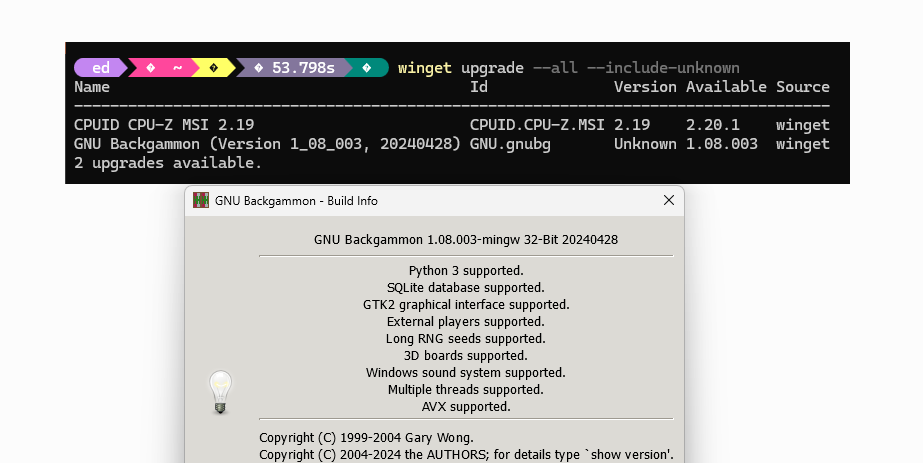
Since Monday, I’ve noticed that WinGet is updating GNU Backgammon every day, aka GNUBG. You can see in the lead-in graphic this happens because the app reports its version number as unknown. Of course, that means WinGet wants to update it, even though that’s unnecessary. How to avoid this unwanted repetition: the WinGet Pin command. Thus, GNUBG shows WinGet Pin rationale, and lets me turn down the noise.
How GNUBG Shows WinGet Pin Rationale
The lead-in graphic also shows that the current installed GNU Backgammon version matches the one that WinGet wants to install. That proves it’s a reporting error from the app itself, not the typical “current version is less than winget database version” that supplies a usually valid reason to run the update process.
Obviously, this will go on until (or if) the developers fix the game, or until a real, new version comes out. So here’s what I did to stop the madness: I ran winget pin –id GNU.gnubg
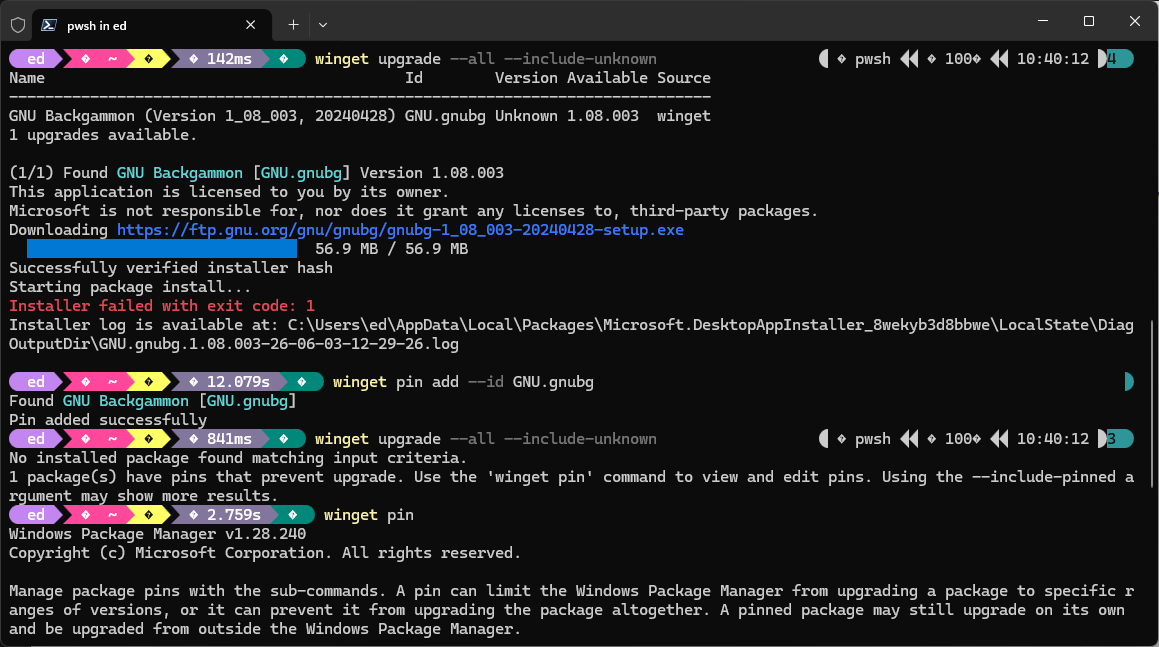
Once pinned, WinGet stops its repeated GNUBG updates. Good!
[Click image for full-sized, more readable view.]
I’ve seldom had to use WinGet Pin on the PC fleet here at Chez Tittel. But every now and then — as with GNUBG here — something pops up that calls for a timeout. Now, I just have to remember to keep an eye on the app so I can unpin or force-update when a REAL one shows up. That’s just one of the small things that keeps me on my toes, here in Windows-World.

