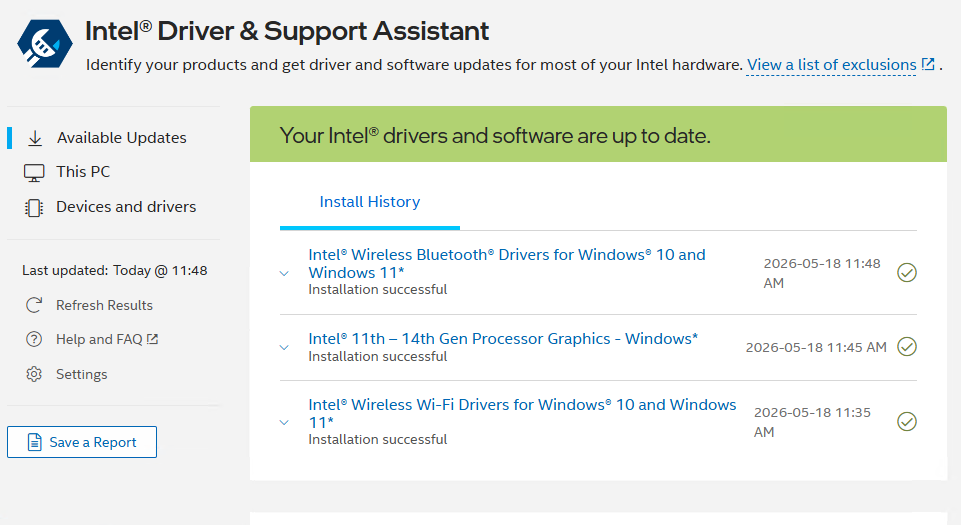
I just realized that DSA was MIA on my ThinkPad X12 Gen 1 Detachable Tablet. So I installed it, then ran it. It found 3 drivers in need of updates on that device: Wi-Fi, Bluetooth, and (Xe) Graphics. In updating them, I observed that the Intel Driver and Support Assistant (Intel DSA) remains driver install clickmeister supreme. Let me explain…
Why say: Intel DSA Remains Driver Install Clickmeister?
It’s long been my observation that using DSA requires lots of mouse clicks. This time around, installing the three drivers shown in the lead-in screencap required at least 24 mouse clicks. For the record, those drivers were (numbers at right count clicks for each one):
- Wireless Bluetooth Drivers (9)
- 11th-14th Gen Processor Graphics (10)
- Wi-Fi Drivers (5)
This time around it actually took me 4 additional mouse clicks to get from item 2 to item 3, because I was installing the GPU driver for the first time. Thus, I had to reboot my system, because DSA got “stuck” on “installing” for item 2, and wouldn’t advance to item 3. Sigh. I didn’t count those “extra” clicks in my reported total.
Achieving Intel Driver Update Silence
Believe it or not, that’s the title of a blog I posted on April 27, 2023. That was another time when the sheer number of clicks involved in running DSA hit me hard. It remains noticeable. Today, it struck me as excessive. So I’m formulating this plea to the Intel DSA developers:
Please add a silent mode switch to DSA. Let users tell the tool to run the installs without requiring minutes of babysitting to get through routine maintenance.
I wonder if anybody is listening. Then, I wonder if they’ll respond. Here in Windows-World the silence can sometimes be deafening. Let’s see what happens, shall we?


Here’s something related to Intel’s DSA that has irked me to no end for years. Windows has a very bad habit of automatically rolling back Intel graphics drivers after you install the latest available graphics driver from Intel’s DSA. Apparently, Windows is too dumb to detect the latest graphics driver version & date in the Driver Store which would avoid this rollback nonsense.