I’ve been trying to document how to repair recovery media when MS updates its VBS boot policy (as happened with Tuesday’s updates). Instead I’ve been fighting with UFD oddities that keep me from making the changes I need to bring them into line with said new policy. I’m feeling flustered and flabbergasted by an improbable series of setbacks, which is why I’m saying “The dog ate my UFD.” Honest: it kind of did.
Digging Into Why the Dog Ate My Boot UFD
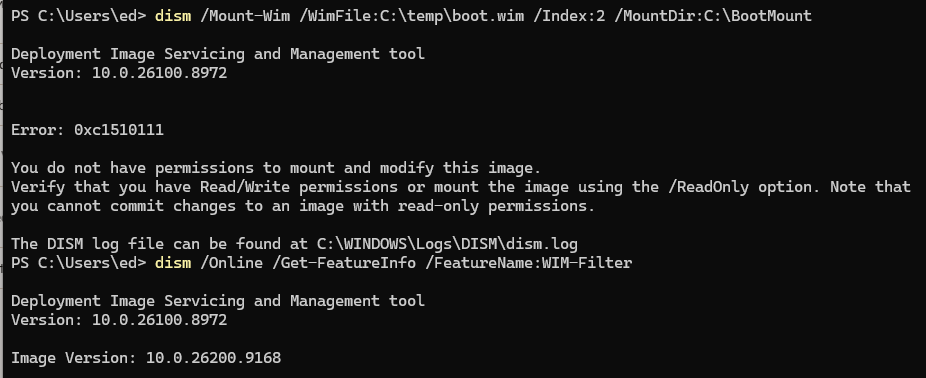
As it turns out, the first setback was Smart App Control (SAC). It’s a Windows 11 security feature that evaluates application reputation through Microsoft’s cloud-based Intelligent Security Graph before allowing anything to run. When I tried to mount an image using DISM, it kept citing a permission block. Media checks showed no blocks, so it turned into a “whack-a-policy” hunt.
Long story short: my research suggested that turning SAC off might fix things. Alas, it didn’t help my problem. So I had to keep looking.
Next Suspect: HVCI
Once I worked around SAC (more on that in a moment), I ran into obstacle number two: HVCI, which stands for Hypervisor-Enforced Code Integrity. Microsoft also calls it Memory Integrity, and you’ll find it under Windows Security > Device Security > Core Isolation. HVCI runs kernel-mode code verification inside an isolated Virtualization-Based Security (VBS) enclave. It’s essentially a walled-off compartment that the rest of the OS can’t touch. On Flo6, HVCI was enabled by default, which is typical in most new Windows 11 installs.
Here’s the rub: many bootable UFD environments load kernel-mode drivers that predate HVCI’s signing requirements. That goes double for older Windows PE (Preinstallation Environment) images. When HVCI sees a driver it doesn’t recognize or trust, it rejects it. The UFD boot process stalls or silently falls back to the local drive. This is by design, not a bug (I keep telling myself that). Unfortunately, that design choice has zero sympathy for the guy who just wants to test a drive image before his second cup of coffee.
Turning it off didn’t help things, either. So I’ve still got a problem, and must keep looking for the cause. Sigh.
Still No Joy…
I still need to mount a windows image (.wim) file so I can fiddle with its bits to make it current. But first, I have to figure out how (or possibly, where) to make this happen. It comes in service of a story to document how to repair or replace outmoded UFD’s for repair, recovery, restoring backups, and so forth. That’s important stuff, but it’s not surrendering its secrets easily.
I wish I knew exactly what I needed to do. I’m still figuring it out. Since I’ve not succeeded yet, consider this an interim status report. Here in Windows-World, an inordinate amount of head-scratching is sometimes required to fix things.
Stay tuned! When I do get it sorted, I’ll post again here. It’s a fascinating fix hunt, but I’ll be glad to get to the end of this road.

