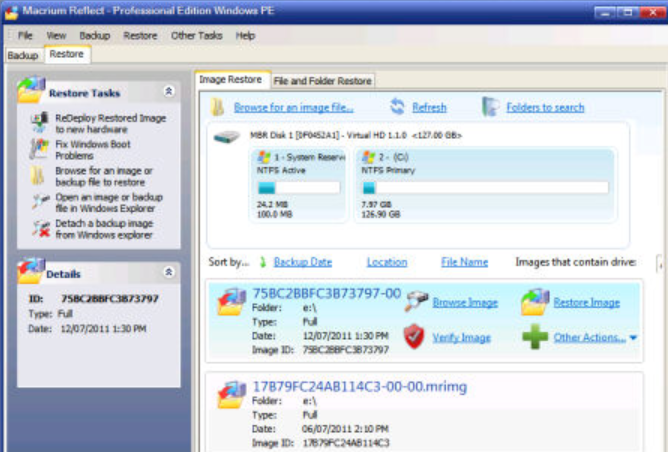
With apologies to Gregory Bateson, I’m reminded of his work from the tangle of elements around booting to Windows 11 rescue media in the era of Secure Boot. Indeed, backups don’t count for much if their rescue media won’t boot. I rediscovered that old truth while testing Macrium Reflect X rescue media on my Lenovo ThinkPad P16. What looked like a simple USB boot test turned into a useful tour of modern Windows boot ecology. It also defined (for me, at least) the essential steps to an ecology of boot in today’s world.
Think about it: the word “ecology” fits. Modern booting isn’t one thing. It’s an interaction among firmware, Secure Boot certificates, revocation policy, boot files, BitLocker, virtualization-based security, the recovery environment, and even the particular USB flash drive you choose.
Steps to an Ecology of Boot: First, Update Rescue Media
My first concern was the Macrium rescue image itself. I had already been working on a PowerShell repair script, fixmrrdv6.ps1, to bring its boot components into line with current Secure Boot requirements. The script updates the external EFI boot manager and relevant files inside boot.wim.
Garlin’s Check_BootMedia.ps1 supplied the essential reality check. An earlier test showed the external Windows Boot Manager as BANNED even though components inside boot.wim were ALLOWED. After correcting the source and running version 6 of the repair script, the external boot manager, the WinPE boot manager, and winload.efi all reported ALLOWED. The boot manager showed SVN 12.0.
That was lesson one: a rescue UFD can look perfectly ordinary in File Explorer yet contain boot components that current Secure Boot policy won’t accept.
Step 2: Get the $#@^! UFD Recognized in UEFI
Next came hardware discovery. A SanDisk 32 GB UFD (USB Flash Drive) didn’t appear in the P16 F12 boot menu. I moved it from one USB-A port to another. No joy. I also encountered the curious “USB FDD” boot choice while working through Windows recovery options. Selecting it did not produce a successful rescue boot.
At that point the problem had stopped looking purely like Secure Boot. If firmware won’t enumerate a device as a boot candidate, fixing the files on that device won’t go anywhere.
So I changed media. I built fresh Macrium rescue media on other UFDs, including a Mushkin Ventura Pro. Ultimately, an ADATA S102 became the device that successfully booted the P16. Go figure!
Step 3: Slogging Through Security Layers
The P16 sports a full complement of modern Windows protections. Secure Boot was on. BitLocker protected C:. Virtualization-based security and Device Guard were in the mix. That’s good for normal operation, but it introduces multiple variables when testing alternate boot media.
I suspended BitLocker protection for the experiment. I also temporarily turned Device Guard/VBS off. That did not make Windows “recognize USB.” Instead, it removed another security and code-integrity variable while testing whether or not the repaired rescue environment could actually start.
Importantly, Secure Boot stayed on. That made the successful test meaningful. I wasn’t simply bypassing the very mechanism I wanted the rescue disk to comply with.
Step 4: The Boot Circle Shows Up from the Rescue Disk
With the ADATA rescue UFD in place and the test conditions sorted out, I initiated the alternate boot. The P16 went black for quite a while. Then the familiar spinning circle appeared. Finally, Macrium Reflect’s WinPE rescue environment appeared.
That was the result I wanted. I opened a command prompt inside WinPE and later used wpeutil reboot to return the P16 to Windows.
Back in the running OS, I restored the normal protection state. BitLocker once again reported ProtectionStatus On. Subsequent checks showed Secure Boot on and virtualization-based security running.
What Did I Learn From This Tapdance?
The biggest lesson is that “bootable USB” is no longer a yes/no thing. A UFD may contain the right partition, filesystem, EFI directory, boot.wim, and loader files, yet still fail somewhere along the path from firmware enumeration to Windows PE.
Current Secure Boot policy makes its contents matter. BitLocker makes boot-state changes matter. Device Guard and VBS add another enforcement layer. Firmware decides whether the UFD works at all. And apparently the physical flash device matters, too.
That last point remains a mystery. The ADATA S102 worked where the Mushkin Ventura Pro did not. I don’t yet have a satisfying technical explanation for that. What I do have is a repeatable successful test using the ADATA. So that’s what I’ll use.
That’s troubleshooting in a nutshell. Change one variable where possible. Verify the state at every layer. Keep good tools handy. And never assume your rescue disk can rescue anything until you’ve actually booted it and seen it work. Here in Windows-World, rescue isn’t guaranteed unless you check it before the brown stuff hits the whirling blades!

