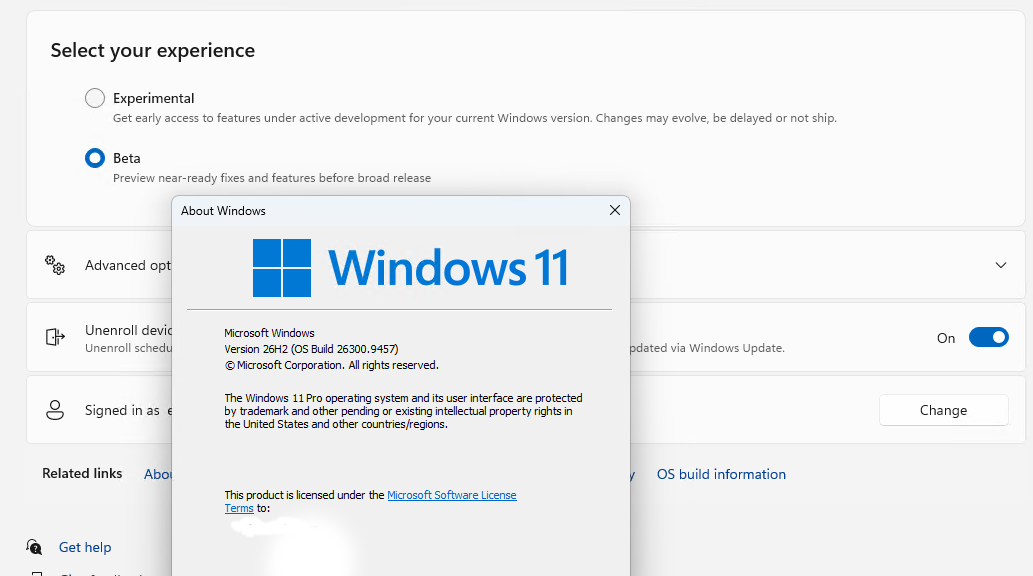
Here’s something weird and interesting. In the wake of yesterday’s actions around updating the Installation Assistant, I discovered that 26H2 installer upgrades Insider Previews. At least, I’ve tried it on Beta and Insider Preview channel PCs and it’s worked. Thing is, those machine now show up as both 26H2 and still enrolled in the Beta channel, as you can see in the lead-in graphic.
Once 26H2 Installer Upgrades Insider Previews, Then What?
Good question. WU isn’t handing them the 2026-09 Preview Update (KB5124010) (26200.9550). They don’t show up under WU > Advanced Options > Optional Updates, either. I’m starting to wonder if my experimental maneuver might not have orphaned these Windows images.
BUT: today is Patch Tuesday. Copilot thinks that today’s mandatory CU will “take” on these installs. I won’t know until noon, local time (10 AM PDT, GMT -07:00). If it works, these installs aren’t orphans. If it doesn’t I may have to visit UUPdump to build a custom ISO to try another in-place repair install to catch up again.
I’m hoping I haven’t painted myself into another corner. That’s not an unfamiliar place for me to find myself, here in Windows-World. I’ll find out later today, and update this post accordingly. Sigh: it’s always something, right?
Après moi, le déluge…
Looks like WU is working the same on the updated Insider Preview PCs as on the mainline production models. All are offered the same four updates: KB5127694, MSRT, KB5130036 and KB5130034. So they’re not stuck. What they are, exactly, is still TBD. Interesting!
Now I know: KB5127648 is the key ingredient. WU doesn’t proffer it to my holdout PCs (the X12 and X380 upgraded to 26H2 thru in-place repair install). But I can grab it from the Update Catalog. Applying on both PCs right now (it’s a big’n: ~4.5GB). Takes a while to complete, But then “Something didn’t go as planned” and back into the previous state. Something ain’t right: I’ll be digging in.

