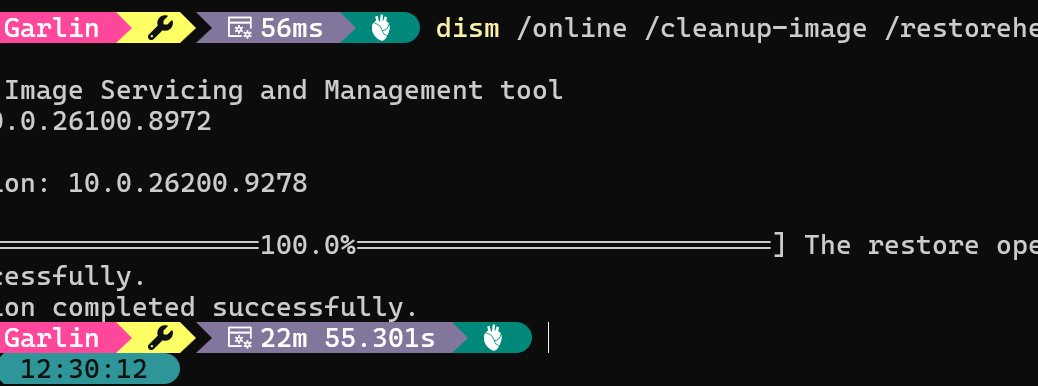
I’ve been reading online at ElevenForum about people having issues with DISM ... /restorehealth on Build 26100.8972 and 26200.8972. Naturally, I had to check to see if I fell into that same boat. On the plus side, none of my machines at that build level threw an error for the command. On the minus, I observed a long DISM pause at 63% range in completing the sequence that stretched to 70% and a bit more. Copilot tells me this is the stage during which DISM downloads files needed to repair questionable items found in the component store.
Varying Times for Long DISM Pause at 63% Range
The lead-in graphic shows a completion time of 22m 55.301s for the command on my Flo6 desktop (MSI B550 mobo, AMD Ryzen 7 5800X, 64 GB RAM, RTX 3070 Ti). Other intervals I recorded include:
- 13m 33.008s on AsusSnap (Zenbook A14, SnapDragon X Plus X1P-42-100, 16 GB RAM, Adreno graphics)
- 8m 36.148s on Lenovo ThinkStation P3 Ultra (Core Ultra 9 285, 64 GB RAM, RTX 4000 SFF)
In this admittedly small sample, I see a strong relationship between CPU speed and completion time. That tells me there’s a lot of thinking going on while the /restorehealth operation is underway. Download volumes were all consistently in the 3-4GB range, as measured by download values from the Network Meter gadget from GadgetPack.
Skip WU, Try ISO
Copilot suggests further that pointing the /restorehealth command at a local ISO could speed things up. But it also says that “the ISO build must match 26200.x [the reference/focus build] closely.” The only way to do that right now is to build an ISO using UUPdump.net to match the 26200.9278 build all 3 PCs are running. That can easily take an hour or longer. My total time for all 3 was under 46 minutes.
Here in Windows-World, if you don’t pay (or spend time) one way, you’ll almost always spend it another. I took the WU route, and was glad all those DISM ... /restorehealth commands completed successfully. That’s good enough for me!

