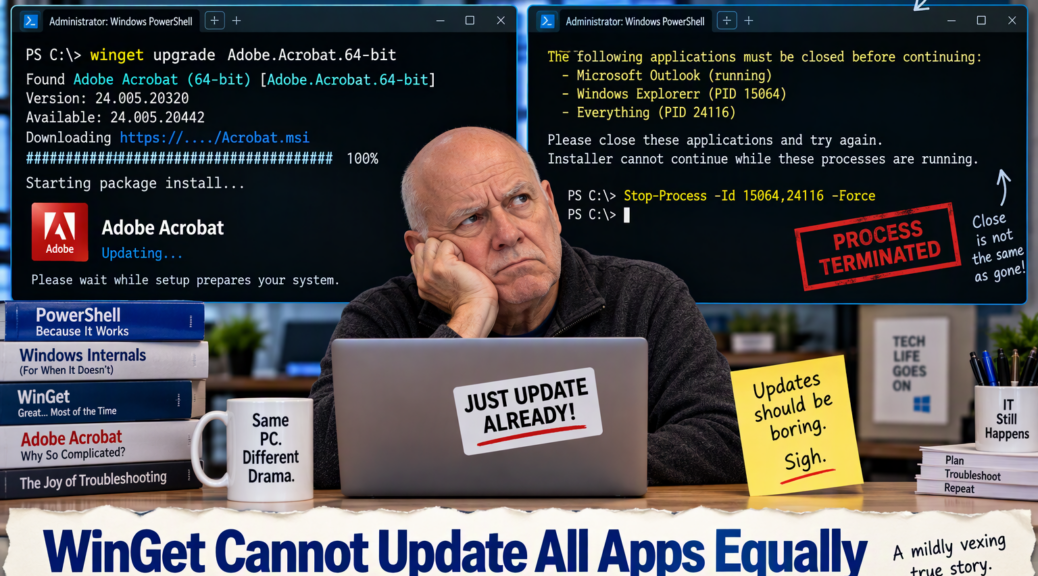
I like WinGet. Really, I do. Few Windows conveniences beat opening PowerShell, typing a command, and watching a fistful of applications march toward newer versions without visiting six websites and clicking through a small mountain of installers. When it works that way, WinGet feels almost civilized. Then there is Adobe, from which company I’ve recently experience WinGet Acrobat update oddities.
Indeed, my latest Acrobat update reminded me that package managers can standardize the command you type without standardizing what happens afterward. That distinction seems academic right up until an update turns into an obstacle course.
What Are Winget Acrobat Update Oddities?
I started with WinGet because Acrobat showed an available update. Fair enough. Instead of letting Acrobat update itself, I figured I would let the Windows Package Manager handle the job along with the rest of normal maintenance. One command, one update, one happy administrator. What could possibly go wrong?
The first interruption was Outlook. The Adobe installer wanted it closed. That’s not particularly shocking. Acrobat’s integrations touch other applications, and installers sometimes need cooperating software out of the way. I closed Outlook and carried on.
Then Adobe wanted File Explorer and Everything closed as well. This is where my eyebrows started heading north.
Closing Explorer Apparently Isn’t Closing Explorer
I dutifully closed File Explorer. Adobe remained unimpressed. The installer wasn’t asking whether an Explorer window was visible. It cared about the underlying process, which was still very much alive.
Ditto Everything. In fact, the installer supplied process IDs and said: these things must die before I proceed. Thus an application update that was supposed to save time had me back in an elevated PowerShell session, forcibly terminating processes by PID.
The command was simple enough: Stop-Process with the two reported IDs and -Force. But that’s hardly the point. I had already obeyed the apparent request to close the applications. Now I had to distinguish between closing an application’s visible window and exterminating the process that Adobe actually meant.
That’s a perfectly reasonable troubleshooting distinction. It’s a rather less charming requirement when updating a PDF reader.
WinGet Is the Messenger Here
To be fair to WinGet, I don’t think Windows Package Manager deserves the blame. WinGet finds the package, obtains the installer, and invokes it. At that point, the vendor’s installer gets a substantial say in how the remaining experience unfolds.
Adobe documents command-line deployment of Acrobat using Windows Installer technology. That helps explain why an apparently uniform WinGet operation can suddenly inherit some very Adobe-specific installation behavior.
In other words, WinGet can give applications the same starting line. It cannot make every vendor run the same race.
The In-App Updater Wins This Round
The irony is that Acrobat’s own updater has generally been faster and less fussy for me. Open Acrobat, invoke its update mechanism, let it finish, and get back to work. That’s not nearly as satisfying to a command-line devotee, but neither is hunting down PIDs because an installer refuses to believe that File Explorer is sufficiently closed.
This doesn’t make me question using WinGet every day. Far from it. For broad maintenance, WinGet upgrade… remains one of my favorite ways to see what needs attention and dispatch a bunch of updates quickly.
It inclines me, however, to treat Acrobat as a special case. If I’m already doing a general WinGet sweep, I’ll certainly let it take a crack at Acrobat. If Acrobat alone needs an update, though, I’ll probably use Adobe’s in-app mechanism and save myself the process-management sideshow.
Automation Has Limits
There is a small lesson here that applies beyond Acrobat. Automation is only as smooth as the least cooperative component in the list of tasks. A package manager can automate discovery, download, invocation, and reporting. It cannot erase every vendor-specific installer behavior hiding behind that neat command line.
Most of the time, that’s fine. WinGet saves me plenty of effort overall. But this particular update takes longer than the supposedly old-fashioned in-app route and requires more manual intervention.
So yes, I’m mildly vexed. Not table-flipping vexed. Not uninstall-Adobe-and-take-up-calligraphy vexed. Just enough to appreciate the absurdity. Here in Windows-World, that’s an oddly familiar sensation.

