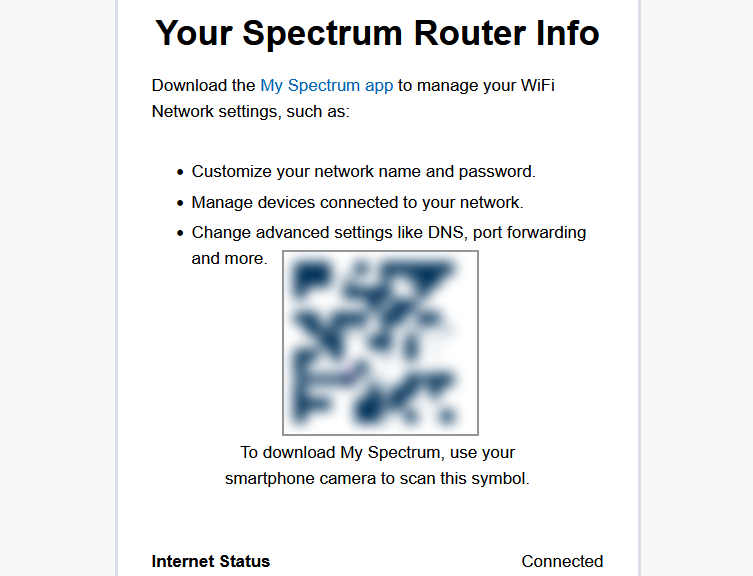
This morning started with a simple task. I needed to RDP into TSP3Ultra2, one of my local Windows machines. The connection failed. Machine name resolution was broken. My first instinct was to check the DHCP table on the Spectrum router. I pointed my browser at 192.168.1.1. Instead of a login page, I got a Cauzin barcode page. It told me to download the My Spectrum app. That was not helpful. Indeed, Router Management By iPhone…NOT is not just a clever headline today. It describes exactly what happened to me.
I turned to Advanced IP Scanner. It found TSP3Ultra2 on the network immediately and showed its current IPv4 address. From there, I used Advanced IP Scanner’s Tools menu to launch an RDP session directly to that IP address. That worked. The underlying name resolution problem still exists. I just bypassed it.
Router Management By iPhone…NOT:
My Spectrum Story
Spectrum’s current Advanced WiFi routers do not support local browser-based administration. The 192.168.1.1 address exists. It just redirects to a barcode page instead of showing a login form. That page pushes you to install the My Spectrum app.
This is intentional. Spectrum manages router firmware remotely. A mobile app is their chosen support interface. The side effect is that you lose access to your DHCP table, your device list, and your network diagnostic tools at the router level. When name resolution breaks, you are left to improvise.
Advanced IP Scanner filled the gap this morning. It is a free tool. It scans your local subnet and returns device names, IP addresses, and MAC addresses. Its Tools menu lets you launch RDP, open a shared folder, or connect via HTTP directly from the scan results. It is not a router admin panel. But today it was close enough.
The Spectrum App: I Want My MTV
The My Spectrum app covers the basics. You can change your WiFi name and password, see connected devices, or run a speed test and restart the router. What you cannot do is adjust DHCP settings, configure port forwarding, tweak firewall rules, or see detailed device data. The app gives you a simplified view. Simplified is another word for limited. Indeed, the web interface thru spectrum.net not only looks the same, it’s subject to those same limitations. Sigh.
BYOR?
If you need real control, one reliable option exists. Buy your own router. Connect it to the Spectrum modem in bridge mode. You bypass the Spectrum router entirely. Because it’s yours, you get full admin access through the manufacturer’s local web interface. This brings the familiar controls through 192.168.1.1 back.
This costs money upfront. It removes you from Spectrum’s managed WiFi ecosystem. You give up app-based parental controls and Spectrum’s network management tools. For some power users, that trade may be worth making. Personally I’m only provisionally interested in that level of network management for the Chez Tittel agglomeration of Wi-Fi and GbE network segments.
Spectrum made a deliberate choice to move router management into a controlled mobile app environment. That choice works for many customers. It does not work for every customer. If you expected a classic browser-based admin page, you will be disappointed. If you’re comfortable with a simplified app interface, you will get by. But for real control, plan to spend money on your own hardware. I’m learning to live within the limitations of what I’ve got. That’s not unfamiliar to us wizened denizens of Windows-World!

