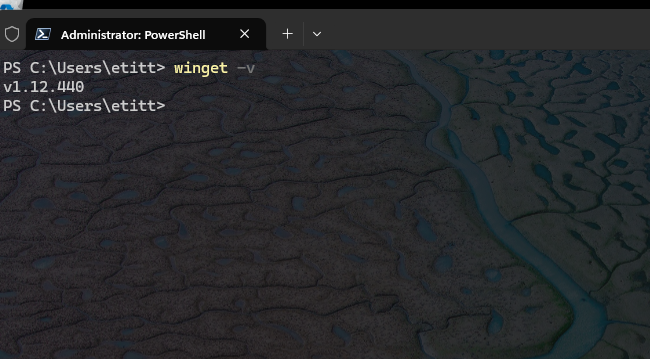
I’ve been fighting dragons here at Chez Tittel all day long. On my primary desktop, something profoundly wrong is dogging my steps, and docking my productivity. I can’t boot to a recovery drive to fix a relatively simple problem with application package provisioning. Behind the scenes, something is amazingly weird, and blocking my every move to try to get things fixed. Let me explain…
More About Primary Desktop: Something Profoundly Wrong
It all started with WinGet. It (Microsoft.AppInstaller) wouldn’t update properly . I went through a lengthy and trying series of misadventures (that took the best part of a full day). I only slowly determined the ed@edtittel.com account profile was thoroughly messed up.
First, I went through three iterations building a WinRE (Windows Recovery Environment) bootable USB flash drive. I realized something fundamental and serious was broken. Copilot says it’s not because of any of these:
- Not a bad install.
- Not a missing EXE.
- Not a PATH issue.
- Not a system‑wide problem.
Rather, it’s a borked reparse point. It’s coupled with missing shims inside user-level WindowsApps and Winget folders.
A Wilderness of Errors
Here are some of errors I’ve fought today:
- “The system cannot find the path specified”
- Winget working in one account but not another
- App Installer reinstall not fixing anything
- PATH looking correct but still failing
- Winget.exe present but nonfunctional
- Commands failing instantly with no useful error text
- Ephemeral pop‑ups and disappearing error dialogs
TLDR: I couldn’t build a bootable WinRE UFD that worked. I’ve switched to another PC. Now, it’s the Lenovo ThinkStation P16 Gen1. It’s frustrating… But at last a bootable UFD via the Windows 11 Download page and msconfig to get into “Safe Mode” worked. That said, I never got WinGet working on my primary MSA.
An Alexandrine Solution
I’ve now been up and down, and back and forth, over the same ground. I can’t make WinGet work in my primary login. It works fine in an alternate MSA. After spending a long, long day trying to fix this, I am throwing in the towel. I can run WinGet from the old MSA, and for now, that’s good enough for me.
Sigh. Another wasted day (at least 8 hours) here in Windows-World. Sometimes, all the effort just doesn’t produce the desired outcome. It’s a real pickle!

