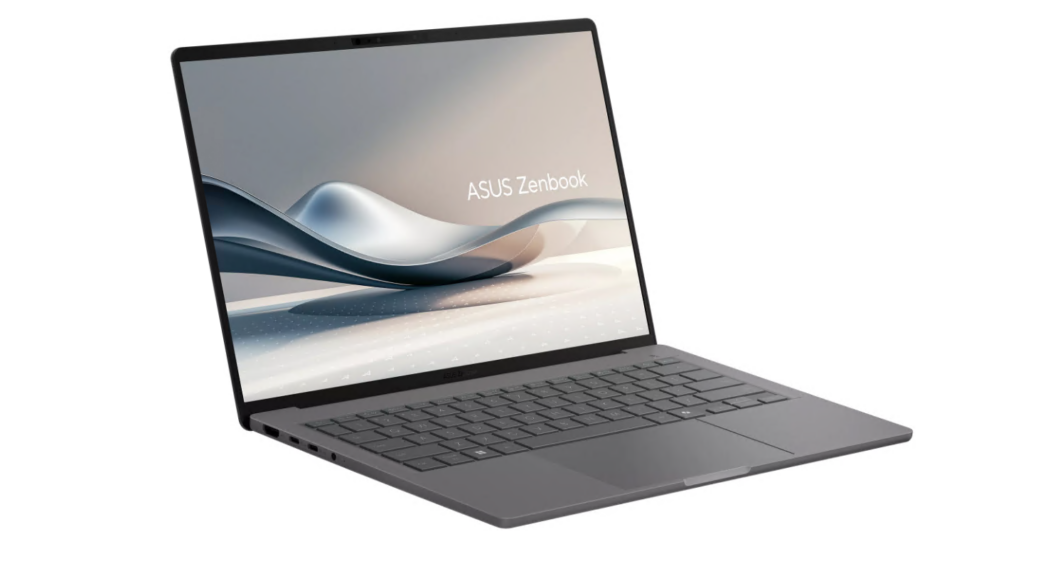
From December 7 to 16, my wife and I drove to California to pick up son Gregory upon moving out of his dorm on the 11th. For this 10-day odyssey, we took the new Snapdragon X laptop along. This blog post provides a kind of technical ASUS A14 Zenbook travelogue, as we used that machine in the car, and in 7 hotels on our trip. TLDR version: works well, great battery life, and easy to pack and tote. That said, everybody noticed — and missed — touch screen support.
Snippets from ASUS A14 Zenbook Travelogue
Day 1 (Home to Las Cruces, NM): Unbelievably fast Windows Hello facial recognition. Used less than 15% of battery with Kindle Reader in 4-6 hours in the car. Tried to drive interface with finger on screen only to realize this otherwise excellent US$550 lapop does NOT include a touchscreen. No issues using hotel Wi-Fi.
Day 2 (Las Cruces to Phoenix, AZ): Took less than an hour to fully recharge PC after extended use in car for reading. No 5G support meant I used my iPhone as a wireless hotspot for Internet access in the car. No issues using hotel Wi-Fi, except I had to run thru the hotspot to grab my Hyatt loyalty club info before I could get free, high-perf access. Sigh: it’s always something…
Days 3 – 6 (Los Angeles/Hollywood, CA): Wife Dina and I made regular use of the A14 in the Loews Hollywood Hotel. Easy Wi-Fi access, decent performance for the lo-fi connection (until I figured out we got high-fi because of our room deal). Only had to charge the laptop once during our entire stay. Great battery life!
Into LA, Then Back Home
Day 7 (Hollywood to Bakersfield): The family indulged my burning desire to visit Cafe Pyrenees and tackle more food than you can believe is included in a “dinner setup” (costs US$24.95 by itself). The garlic fried chicken was astounding, and the A14 likewise, with easy Wi-Fi hookups and great web performance.
Day 8 (Bakersfield to Kingman, AZ): The Holiday Inn Express was a big disappointment. The A14 was not: another day of great battery life, easy Wi-Fi hookup, good Web-based Outlook access and performance, and more. I’m now completely comfortable claiming that for light-duty computing (e.g. email, surfing, basic apps and applications) this laptop can run for a long day (12 hours) on battery. Just in case, though, I brought a RavPower RP-PB41 on the trip (its 26,800 mAh capacity can charge the A14 to 100% in about 7 hours: it’s slow because it outputs 5A where the A14 expects 4X that level).
Day 9 (Kingman to Big Spring, TX): We doubled up the driving for a 12-hour day on Dec 15 (we’d originally planned to stop in Albuquerque, NM). The A14 ran all day during our 12:15 drive, with about 17% battery remaining when we pulled into the beautifully restored Hotel Settles around midnight that day. Phew!
Day 10 (Big Spring to Round Rock, TX): The ~5hr drive home drew only about 25% of battery capacity, as I surfed and looked at the 1,015 email messages waiting for me in my inbox at the Webmail server for edtittel.com. I knew the next would be busy as I chewed through that imposing list, to filter the wheat from the chaff.
Final Thoughts and Concerns
Gosh! I’m hard-pressing to ding the A14 for much at all, except for its lack of touchscreen support. Copilot tells me that such capability adds US$75-150 to the cost of a laptop, but I didn’t really stop to check if that was an available option or not when I jumped on its Best Buy Black Friday pricing. As Copilot would have it, buying a touchscreen A14 model would add anywhere from US$259 to US$500 to the US$550 I paid for my current unit at Best Buy. So much for Copilot’s obviously optimistic US$75-150 incremental cost estimate, eh?
All in all, I find this laptop to be eminently suited for mobile, portable use — as long as you have a cellphone that can provide a mobile Internet hookup. Alas, ASUS does not offer an in-PC M.2 slot into which one might insert a 5G card. So it goes, here in Windows-World. Net results: mostly positive, with only a couple of niggles. Love this new laptop: will keep using it as a road machine.

