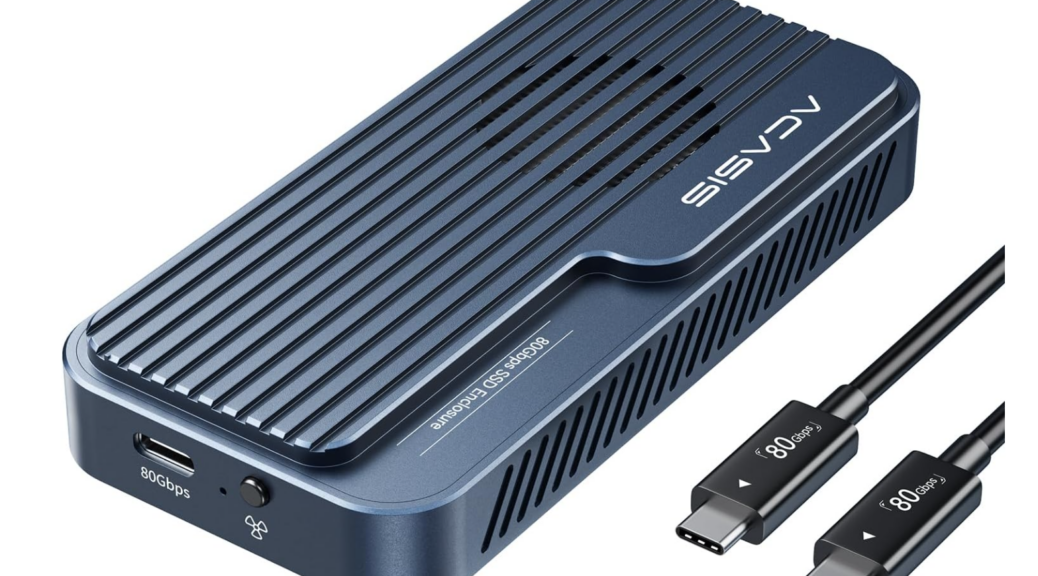
I finally laid hands on a Thunderbolt 5 NVMe enclosure this week. I shouldn’t have bothered, though I learned something important. Aping Alex Karras’s unforgettable character Mongo in Blazing Saddles, I have to say that for Thunderbolt 5: “Video Good, Storage Bad!” Let me explain.
Why Say for Thunderbolt 5: Video Good, Storage Bad
TLDR version: the channel is fast, but PCIe tunneling bandwidth peaks out at PCI 3.0 x4 levels. I tested a blazing fast Crucial T705 NVMe inside a brand-new Acasis TB501Pro NVMe enclosure (it cost me US$200+tax). It underperformed both the Samsung 970 EVO and the Crucial P3 NVMes I also tried out in that same box.
How can this be? Easy: The current TB5 controller generation from Intel — code name Barlow Ridge — includes a PCIe endpoint block that handles storage transfers to/from the TB5 USB-C port on the PC side of the connection. It’s hard-wired as PCIe 3.0 x4, which limits effective bandwidth for the link to somewhere around 3-4 GBps. Thus, there’s no real advantage in this generation of hardware in buying a TB5 NVMe enclosure.
Indeed, performance from a TB5 NVMe enclosure with a Barlow Ridge controller is the same as the USB-C port on my otherwise mind-blowing ThinkPad P16 Gen 3 laptop (which uses the same controller for TB5/USB4.0 v2). This isn’t going to get better until a next generation of controllers comes out, hopefully with a faster PCIe tunnel to boost NVMe access. This hardware doesn’t do what I wanted and hoped it would: offer 6-7 GBps speeds for external NVMe storage devices. That won’t change until Intel builds something faster for PCIe access.
In the meantime, save your money: you’ll get the same performance out of a TB4/USB4 NVMe enclosure as from this newer model, for around half the price. I’m sending mine back to Amazon, thankful for its “failed to live up to expectations” return policy. Sigh.


Checkout the OWC Envoy Ultra review shown below.
https://www.techpowerup.com/review/owc-envoy-ultra-2tb-thunderbolt-5-ssd/
OMG that’s expensive. Given that USB5 on the only laptop I’ve got with that capability has a controller whose IO tunnel is capped at PCIe Gen3 x4 speeds, it doesn’t seem cost-justified on a Windows PCs. Sounds like once again, Macs gain the performance edge on exernal IO. Thanks for sharing: very interesting!
–Ed–