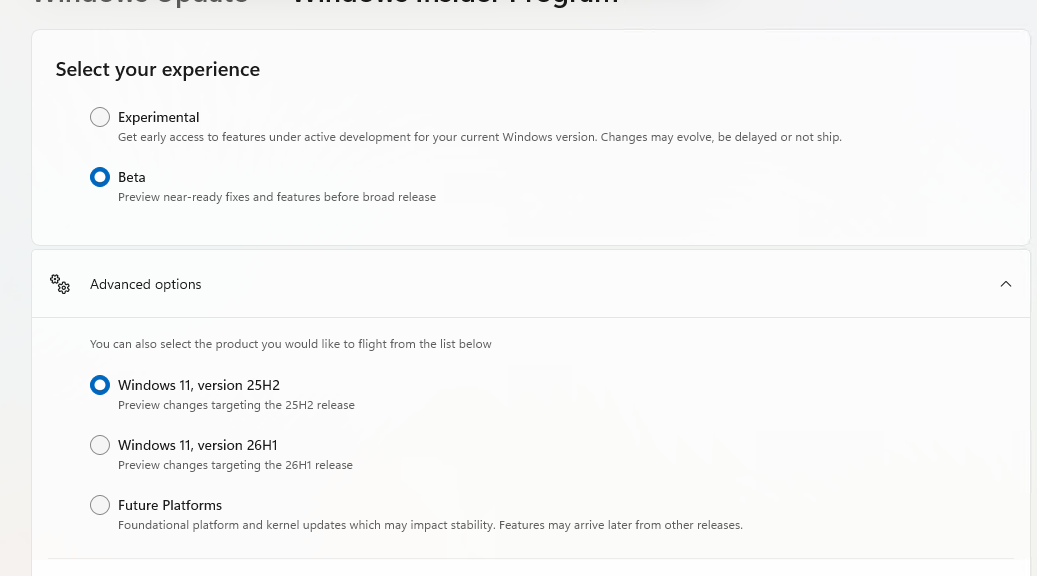
OK then. Now that I’ve fixed the boot problems on the X12 Detachable Tablet Gen 1, and rejoined the Insider Program, I’m looking around at what’s there (and what’s not, just yet). At long last. I can see the primary Insider channels (Experimental and Beta) as shown in the lead-in graphic. So finally, the X12 gets new Insider look and feel in Settings > WU > WIP and elsewhere. So glad!
As X12 Gets New Insider Look, Now What?
i can finally start looking for new features and capabilities under the Windows 11 umbrella, as MS continues working toward the upcoming 26H2 release. So far, as is often the case, I’m looking for things — such as the new-look Shut Down controls (see this WinAero story for info & screencaps) — that haven’t made it onto the X12 just yet. I know, I know: I can use ViveTool to turn them on. But I’m determined to wait and see how things emerge as MS widens its controlled release coverage.
That said, I am delighted to see my Insider Program options finally synch up with the Experimental and Beta channel offerings (with option to turn on Release Preview, as you see at bottom right in the screen cap). Now, I just need to be patient, and wait for more new features to start showing up.
Items of Particular Interest, IMO
Since I’ve got suitable boot media, I want to see if I can spot the Cloud Recovery option when booting into WinRE. Alas, Copilot says that’s an Experimental feature only, so I may need to switch the ThinkStation P3 Ultra Gen3 over to that channel.
Today’s Patch Tuesday, so I can check later (via Update History) to see the new Unified Update Experience at work. It should also be interesting to see if anything else shows up in today’s update announcements. Stay tuned! I’ll keep you posted…

