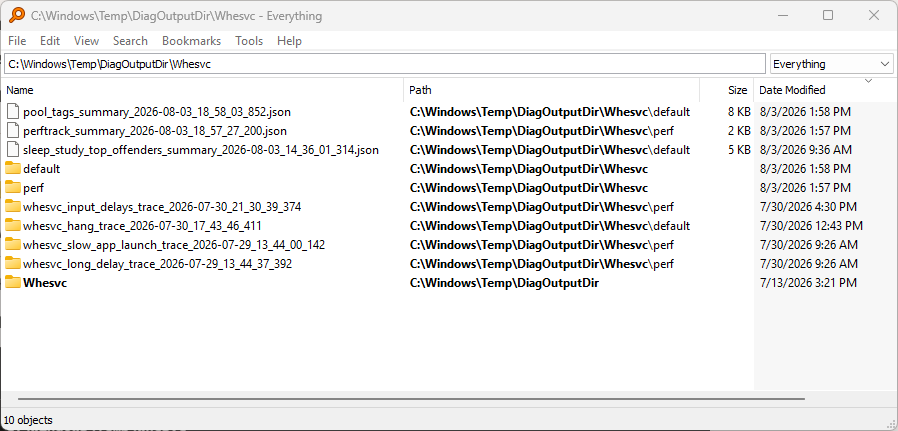
This morning, I ran across an item on the TechPowerUp news forum entitled “Microsoft Denies New Tracking Service in Windows 11.” I was intrigued to learn about Whesvc (the corresponding abbrevation and the name of a folder for storing telemetry data beneath C:\Windows\Temp). Its job, says Copilot is to handle “WHEA (Windows Hardware Error Architecture) events [such as] machine check exceptions, PCIe AER, CPU internal errors, bus timeouts,…” and more. The lead-in graphic shows what voidtools Everything found in that folder.
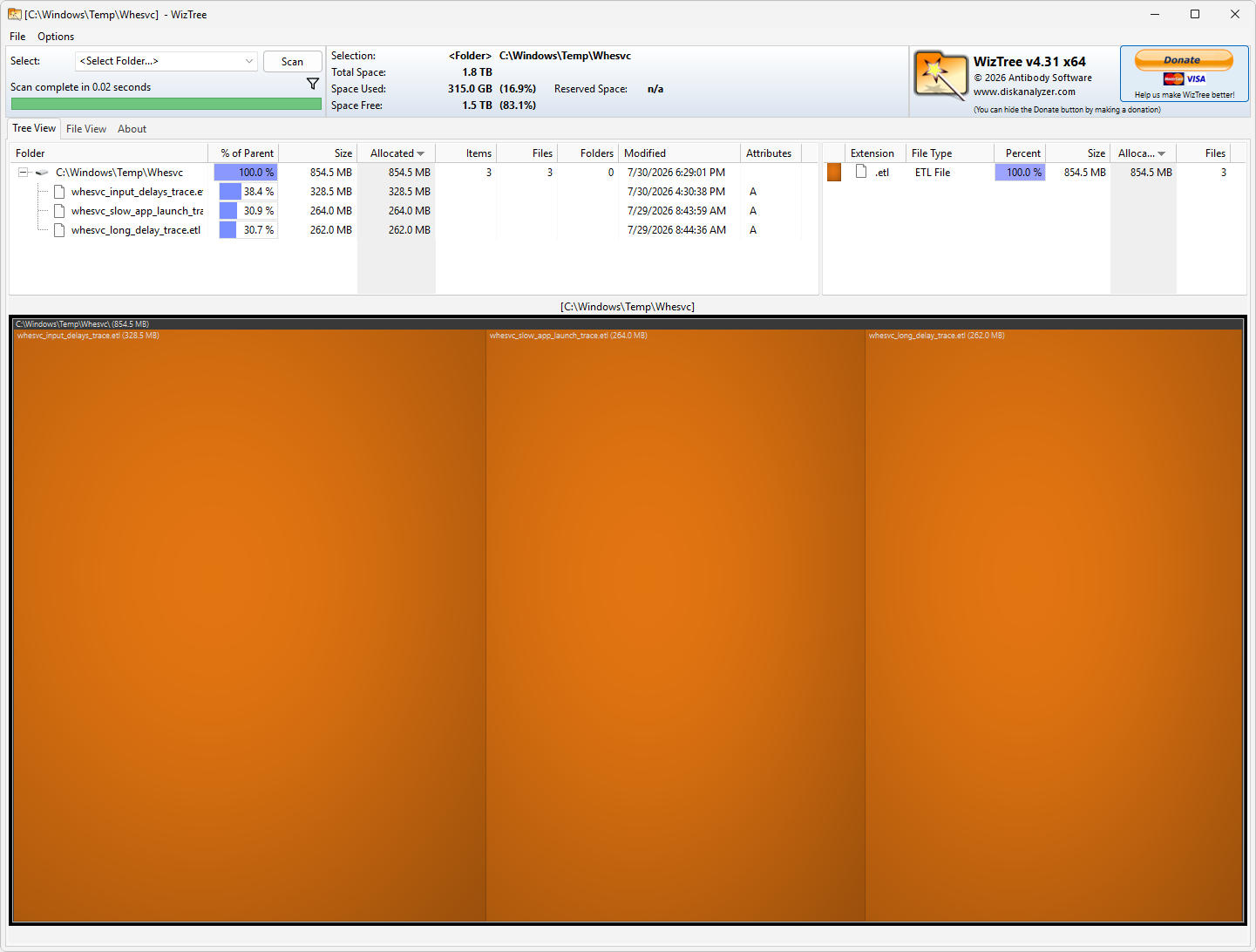
Surprisingly, Whesvc stuff eats nearly 1GB of storage space.
Why Understanding Windows Hardware Error Service Matters
This folder provides a place where WHESVC keeps information about various related events, including when:
- a hardware error is raised
- the system is preparing a WHEA telemetry bundle
- the OS is about to submit a hardware error report
- a WHEA LiveKernelEvent is generated
- a PCIe or CPU error needs additional context
Yes, you can indeed report this stuff to Feedback Hub, but I find no documentation to indicate that the OS does this automatically. But it seems like uploads to report stuff would be at least a good idea, if not a given. My best guess it is gets folded into normal Windows telemetry and phone home that way…
PowerShell to the Rescue
Using PowerShell gets you over this particular hurdle. If you want to see what’s in the folder, try this one-liner:
Get-ChildItem -Force -Recurse "C:\Windows\Temp\Whesvc" | Select-Object FullName, Length, LastWriteTime
This produces list of event trace logs (.etl files) you can share with Feedback hub if you’d care to. The following PowerShell will zip it up for you into a file named Whesvc-Diagnostics.zip:
$src = "C:\Windows\Temp\Whesvc"

$dst = "$env:USERPROFILE\Desktop\Whesvc-Diagnostics.zip"

Compress-Archive -Path $src -DestinationPath $dst -Force
I’d be inclined to label the collection as something like “Whesvc output for dd/mm/yy” when you turn it over to MS for inspection. And indeed some of the object names are pretty interesting, as they include strings like “slow app launch,” “long delay,” “app hang,” and so forth. Sounds like potentially useful stuff!
Given that this is transient info, you need not worry about keeping folder contents around. Once you share it with Feedback Hub (or not), it’s safe to delete. As Copilot says “These are scratch files not persistent logs.” ‘Nuff said.


If you add:
$(get-date -UFormat ‘%Y-%m-%d %H_%M’)
to your destination string you get the date and time that string was created. That way you don’t have to manually add the date and time to the zip file name.
$dst = “$env:USERPROFILE\Desktop\Whesvc-Diagnostics-$(get-date -UFormat ‘%Y-%m-%d %H_%M’).zip”
results in:
C:\Users\\Desktop\Whesvc-Diagnostics-2026-09-03 10_57.zip
Thanks for the tip. Good call! =e=