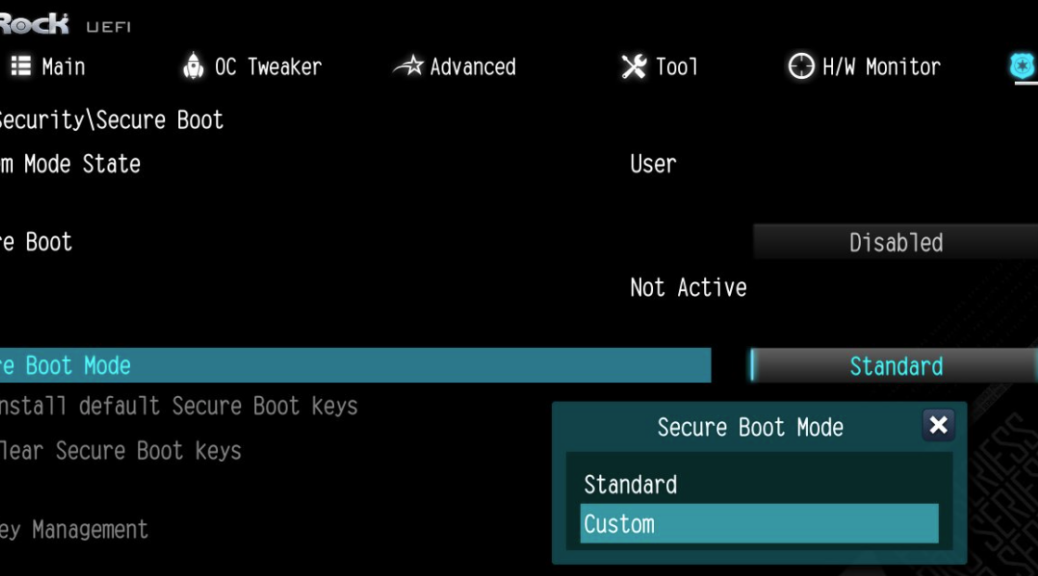
We’ve been (and still are, I kid you not) snowed in here in Central Texas. With Winter Storm Fern bearing down on us, we started hunkering down here last Friday (1/23). On Saturday we had rain, sleet and snow, and woke up to snowy sights Sunday. Figuring I had time on my hands, I decided to see if I could get Secure Boot working on my Asrock B550 Ryzen 7 5800X Flo6 production desktop. Alas, after much wrestling with hardware and software, I saw my Secure Boot pursuit undone early, early this morning. Let me explain…
Why Is My Secure Boot Pursuit Undone?
Through all kinds of contortions (see list below) I couldn’t get the PC to boot with Secure Boot enabled. Let me enumerate some of them so you can appreciate what I tried and failed to get done this weekend:
- 2 repair installs of my current running OS
- 1 “dirty install” (do not format partitions, but run installer which moves old OS into Windows.old and creates a new one: IDKYDT)
- At least 2 each dism /restorehealth, sfc /scannow & chkdsk
- Remove boot/sys drive from its M.2 slot to wipe NVMe config data from UEFI (have to remove GPU to access slot, sigh)
- Swapped out old, soon-to-be obsolete 1070 Ti for 3070 Ti GPU.
- spent over 30 hours fiddling with UEFI and Windows configs
After the “dirty install” I realized I’d hosed the primary MSA login on my main work machine. Not acceptable!! This morning, I built a new Macrium Reflect X Rescue disk, extracted the drivers from the Flo6, and restored my most recent backup (Friday afternoon, after I’d reorganized the boot/sys drive partitions).
Back in Business, Back to Work!
I learned a bunch about boot configuration data and related commands. I’m definitely completely up on booting the Flo6 into WinRE, Windows installer media, and the Macrium Rescue Disk. I’m much better acquainted with the Asrock UEFI than I’ve ever been before.
I also learned that my old MS Comfort Curve 4000 keyboard can’t (or won’t) send Fn key data to UEFI. Working on the ThinkPad P16 Gen 1 I soon figured out scrolling Copilot output was MUCH easier with an external mouse with scroll wheel than using the touchpad. Who knew?
And finally, I learned that Copilot will lead you all over the place trying to solve problems, heedless of time involved and consequence entailed. Sure, AI will tell you pretty much anything about Windows you want to know, but I wasn’t happy with the circuitous routes it took me on, and the circles it spun me through. Then it occurred to me: the words mendacious, malicious, utopia, and paradise all include AI, as do the phrases folie a deux and waste of time. Here in snowed-in Windows-World this weekend, I saw all those things play out. It was oddly engaging, but I’m glad it’s over.


I just read Secure Boot Pursuit Undone and I genuinely appreciate how you turn a deeply technical and frustrating weekend of wrestling with UEFI, system configuration, and Secure Boot into a candid and relatable journey that any tech enthusiast can learn from and even empathize with; your honest recounting of long hours, uncooperative hardware, multiple OS repairs, and eventual recovery doesn’t just chronicle the challenge, it teaches patience, troubleshooting grit, and respect for the intricate boot security processes that modern PCs rely on while reminding us that persistence, curiosity, and a willingness to learn often matter as much as technical expertise when tackling complex system configurations.
Thanks for your kind words. Just an hour ago or so, I finally put a new graphics card into the upstairs B550 PC and now have secure boot working and up-to-date on all 12 systems currently on premises here at Chez Tittel. It’s been a wild and surprisingly expensive ride. I had to buy mouse & keyboard, and ended up with a ruined 4070 card (working on a return right now) and a working 5060 card that finally did the trick. Lots of learning about boot processes and firmware, for sure.
=Ed=