I’ve known for a long, long time that the netsh wlan show profiles command lists known Wi-Fi networks on suitably equipped Windows PCs. Until now, I’ve periodically used that command to check how many I’ve got and how many I don’t really need. Now, thanks to Copilot’s “script on demand” abilities, I’ve got a script that walks me through the list. It offers a quick WLAN profile cleanup, so I can keep the ones I use, and deep-six the ones I don’t.
PowerShell For Quick WLAN Profile Cleanup
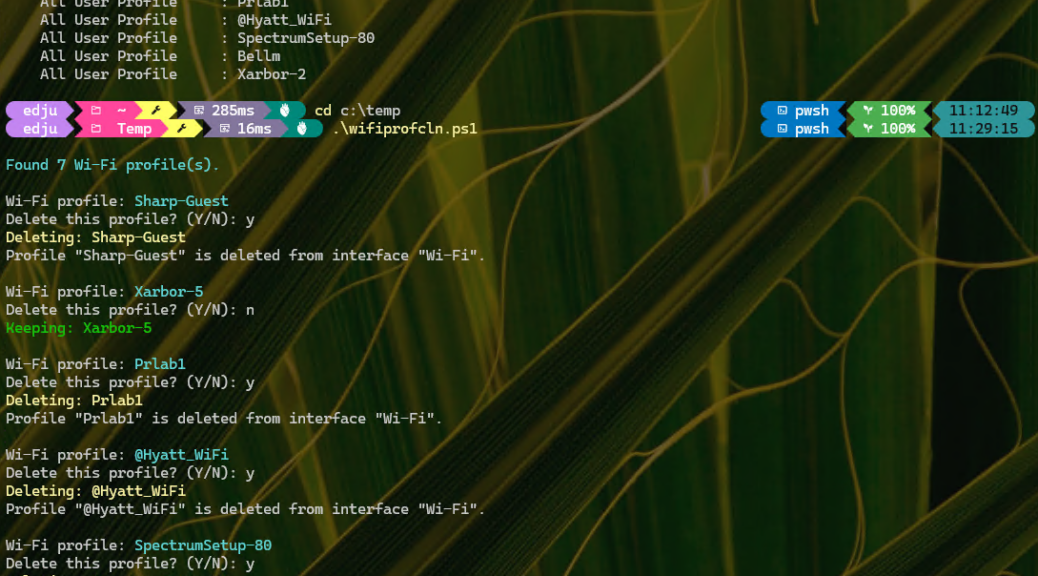
The screencap starts with the list of 7 known wi-fi networks on the Lenovo ThinkPad X380 Yoga. Of the 7 networks shown, I only need 2 of them.
The script (named wifiprofcln.ps1) walks through all known WLAN profiles for Wi-Fi networks, then asks whether to keep or delete each one. As you can see in the screencap, I deleted 5 and kept 2 of the 7 I started out with. Some were from hotels, others from offices, others from my cellphone provider’s hotspot network.
The Real Beauty of On-Demand Scripting
This is just a simple bit of throwaway PowerShell. The script is 40 lines long. It took Copilot less time to build it than it took me to tell it what I wanted the script to do. At one time, I would’ve been inclined to deliver this info as a recipe with the proper way to structure commands and let readers DIY their way through it. Now, I can put together and share a quickie one-off tool in minutes.
Say what you want about the evils of AI, the perils of hallucination or misalignment, or even existential threats. This kind of simple, straightforward use is easy, fast and pretty darn useful. Within scope and with a tight focus, it’s a complete boon to getting things done here in Windows-World. Use it carefully, to be sure, but use it you must!

