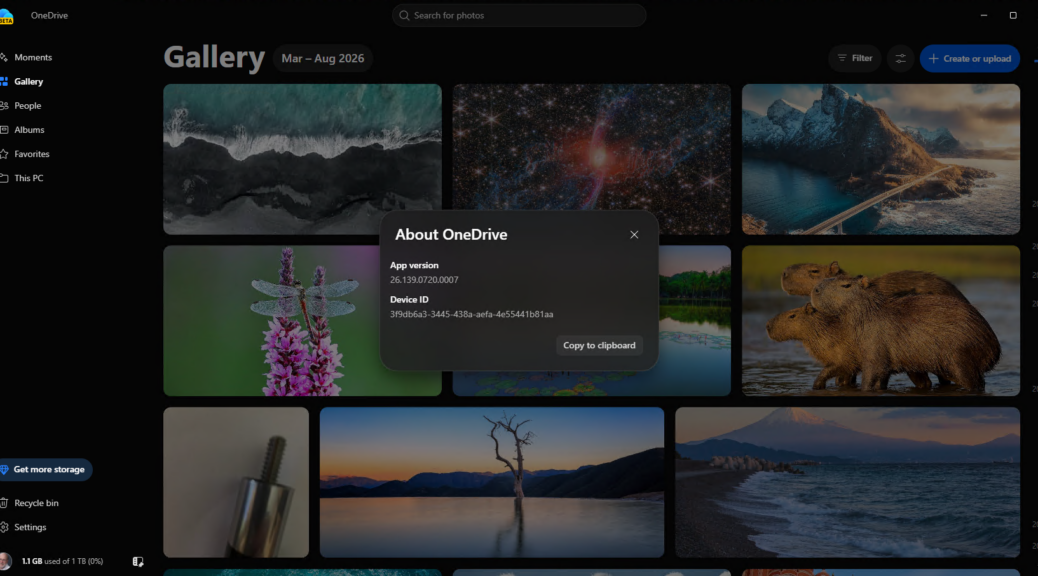
Given the considerable flap that’s erupted online about MS dropping a OneDrive Photos app willy-nilly on Windows PCs recently, I’m having trouble finding same. Indeed, on the 8 PCs running Windows 11 here at Chez Tittel right now, it pops up on only one of them. It could be present on another, but I can’t tell right now. Thus, for me at least, finding OneDrive Photos proves elusive if not outright mysterious.
Why OneDrive Photos Proves Elusive
For one thing, there is no separate “OneDrive Photos” app, all the recent flap nothwithstanding. It’s actually part of the OneDrive executable itself OneDrive.App.exe. That said, it shows up on Windows 11 PCs with work and school accounts, even though it works only with personal MSAs. Thus, uninstalling it on corporate and school accounts is a real concern. For examples, see the coverage at WinAero, Windows Central and Windows Latest for a good sense of what’s been shaking.
I wanted to see the gosh-darned thing, but had trouble finding it. Turns out you have to be running version 26.139.0720.007 (it’s a preview version) AND you must be running a personal MSA for it to show up as such. Then you login into onedrive.live.com with said MSA, click the photos button at top left of onedrive login home and Presto! there you are.
As for uninstalling it if you can’t use it? That’s coming, but not quite here yet. But before I uninstalled it, I wanted to see it in the first place. Thus, as Murphy would have it, first I had to find it. Gosh! I have to laugh at the things that occasionally happen here in Windows-World. It’s a real gut-buster, sometimes…

