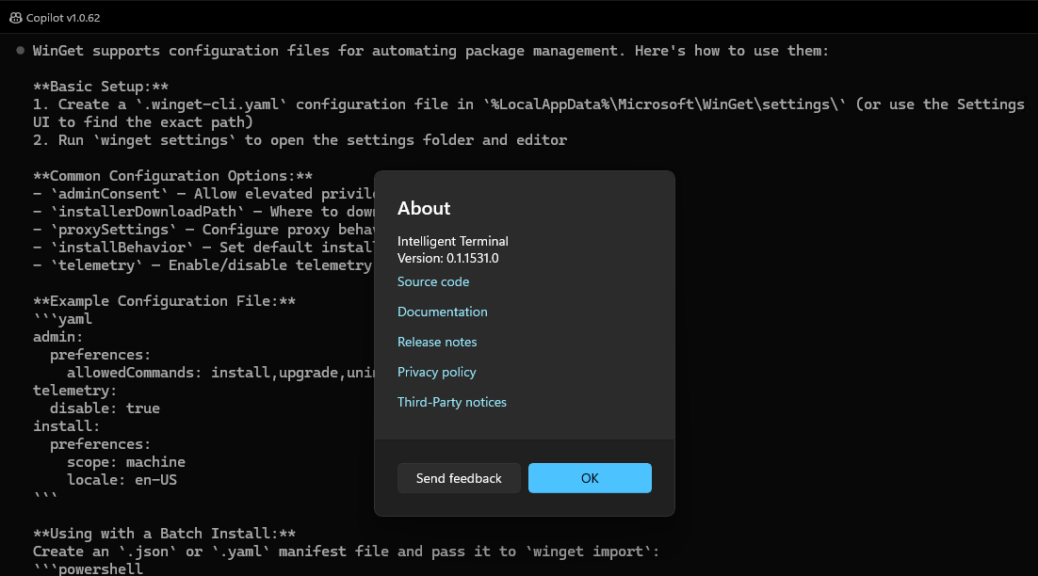
OK then, I just got my first chance to give Copilot in the “new” Intelligent Terminal app a shot. You’d think it would be easy, but there are a few hurdles to get over before Copilot will do its thing inside Windows Terminal, intelligent or otherwise. Indeed, using Copilot on Intelligent Terminal requires a GitHub Copilot account of some kind (Free, Pro, Pro+ or Max) before you can run queries inside the app. Otherwise, you’ll see something like this instead:
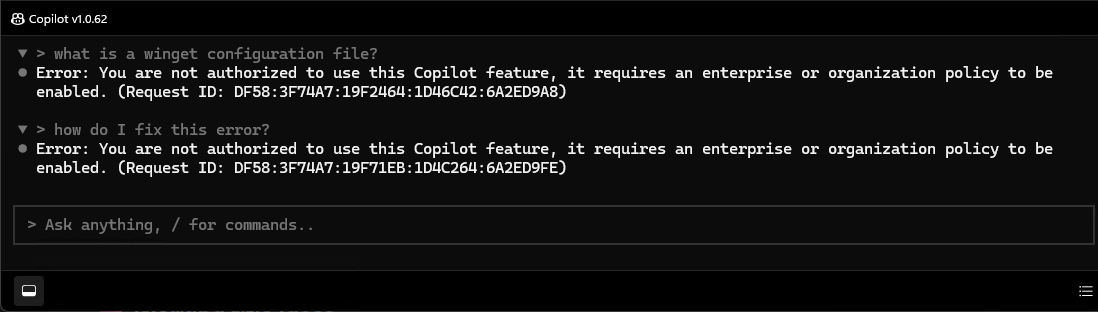 As you can see, no GitHub Copilot status means you can ask Copilot stuff inside WinTerm, but you can’t get anything except a “not authorized” error message in return.
Using Copilot on Intelligent Terminal
Takes Time & Effort
Ironically enough, I used Copilot outside of WinTerm to tell me how to get it working inside Intelligent Terminal. Turns out I had to set up a GitHub account, sign up for GitHub Copilot Free, then wait for registration to “take” so my login attempt would then be authorized.
Copilot told me it it would take 15 minutes to an hour for the sign-up process to result in a working session. As you can see in the lead-in graphic, when I put a query to Copilot inside Intelligent Terminal this morning, it worked. Having set the account up mid-afternoon yesterday, that was the expected outcome. But it still came as a welcome and pleasant surprise.
Now, To Learn How This REALLY Works…
As I understand it, GitHub Copilot Free limits users to 50 chat messages per month. Here are its other limits, again courtesy of Copilot itself:
- Unlimited inline code completions (the lightweight autocomplete model)
- Access to the GitHub.com Copilot Chat UI
- Access to Terminal Chat (same 50‑message pool)
- No access to premium models
- No agent‑mode operations
- No AI credits of any kind
Obviously I need to spend some time messing around with the tool, and get it working on scripting tasks for me. That seems to be the best way to put it work within the limited confines of the Free plan in which I’m currently enrolled.
At least, I got Copilot working inside Intelligent Terminal. Here in Windows-World, you have to take your victories, however minor, as you earn them. Stay tuned! I’ll be chiming in on this tool and related topics as I start making my way up the learning curve…

