Normally, when you open the Windows Security app, there’s a brief pause during which the app window is blank (1-2 seconds is normal). But sometimes, that window remains empty. This morning, it popped up on my second Ryzen 7 5800X desktop. In turn, that had me seeking out ways for fixing Windows Security stays blank. Turns out there are two extremely easy fixes, though one takes longer and is more disruptive than the other. Here goes…
Note: the intro screencap shows mockups of the blank Windows Security window (light theme at left, dark theme at right). The key point is “Nothing to see here!” That’s a problem that turns out to be relatively easy to fix.
How-To: Fixing Windows Security Stays Blank
The quick and easy way is to use the app menu a little differently. On the affected machine, I observed that picking any subsystem inside Windows Security will cause it to open, after which “going home” inside the app works like a champ. Since I wanted to check “Device Security” anyway, I went straight there.
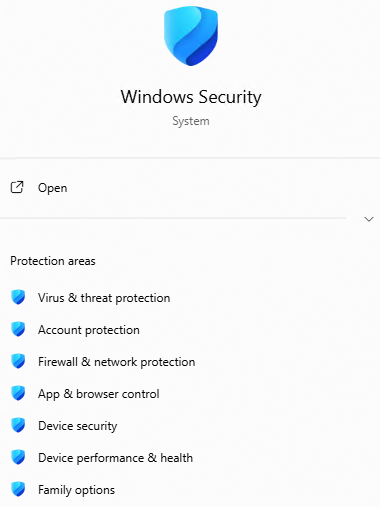 Instead of clicking the icon at top center, I clicked on “Device Security” (3rd from bottom in preceding screencap). It came right up and I saw what I needed to see (checking Secure Boot status info).
Another Fix: Reboot, Try Again
I also observed that a reboot brought Windows Security back to a normal, predictable state. Indeed, this is a workable technique to undo lots of everyday wonkiness in Windows, as many readers will know and appreciate. This has been a staple early stage activity in Windows troubleshooting as far back as I can remember (1991, 35 years ago).
Why Does This Happen?
Copilot attributes this reasonably common behavior to an outcome from its design as a UWP shell atop a set of back-end Windows services. It says “When the shell launches faster than its backend services are ready to respond — a classic race condition — the shell renders the window frame but has nothing to populate it with, so you get a blank canvas.” Sounds about right to me, especially noticing a slight delay between launch and population on other PCs I just checked (including the 2018 vintage ThinkPad Yoga X380, the 2022 vintage ThinkPad X16, and the 2020 vintage ThinkPad X12 Detachable Tablet).
Here in Windows-World thinks going wonky is part of the daily round. It’s nice to find a minor glitch that’s quick and easy to diagnose, and fix. I’ll take those wins where I can find them!

