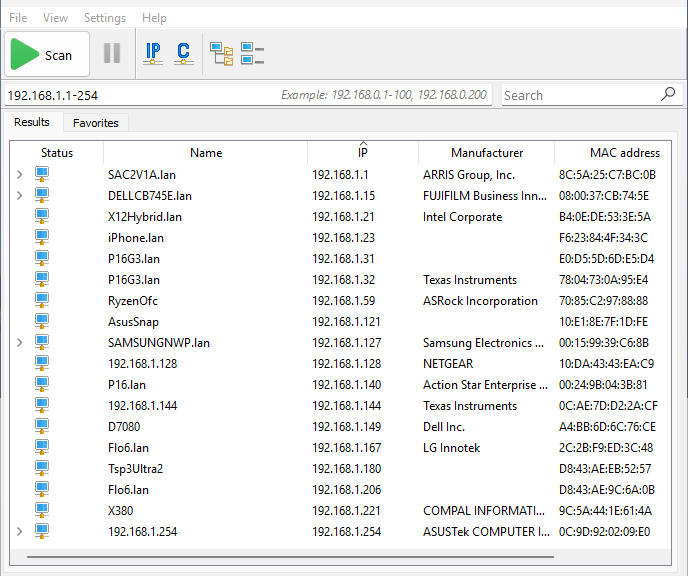
I’m pretty fond of the free network scanning tool named Advanced IP Scanner. It’s much more predictable and reliable than the Network facility built into File Explorer. It also makes it easy to do stuff to and over the network. I’ve been noticing on my LAN recently that an increasing number of PCs (and other devices) get DHCP names that end in “.lan” (see the lead-in graphic for more info). So I used a PowerShell script to do a reverse DNS lookup to double-check this. And indeed, this reverse DNS lookup reveals router change in my SAC2V1A Spectrum-supplied router. Looks like it got a recent firmware upgrade that changed its DNS/DHCP behaviors.
How Reverse DNS Lookup Reveals Router Change
I created a PowerShell script to talk to the router and give me DHCP names for all of the nodes it handles, using the ARP (address resolution protocol) as my foundation. If you look at this WinTerm screencap, the pattern is unmistakable:
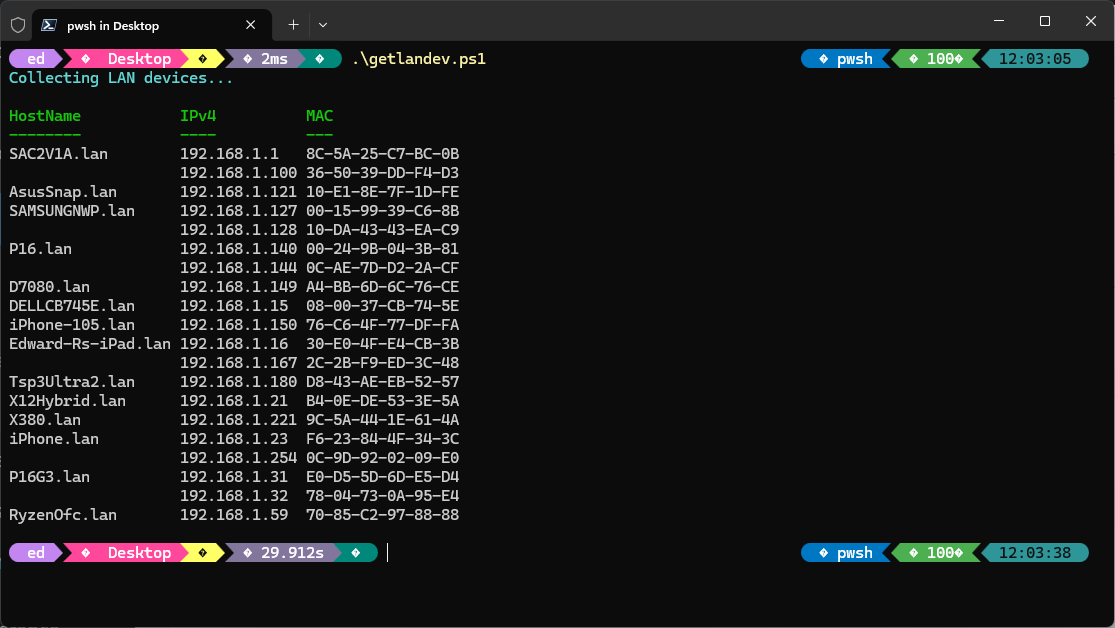 I forcibly used ARP to drive reverse DNS lookups (from IP address to name from the router’s name table) for all active IP addresses. Notice that every single name here ends with the “.lan” suffix. That tells me Spectrum pushed a firmware update to the box, because it didn’t used to do that consistently for all items.
Why Advanced IP Scanner Shows Some Unadorned Names?
Advanced IP Scanner uses multiple techniques to resolve IP addresses to names. Among this is the NetBIOS Name Service (NBNS), Link-Local Multicast Name Resolution (LLMNR), Multicast DNS (mDNS), SMB/NetBIOS over TCP, and Reverse DNS (PTR lookup). Some or all of these return bare machine names, lacking the .lan suffix. As far as I can, whichever of these lookups responds first is the one that makes it to the name table. And that’s why Advanced IP Scanner shows different name strings than does my script.
Weird and wonderful are the ways of Windows-World. And few are anywhere near as weird, or as wonderful, as the ones that make name resolution work on Windows networks. QED!


How can proper router configuration improve network stability and speed?
See previous answer to somebody from your same home domain (telkomuniversity.ac.id).
–Ed–