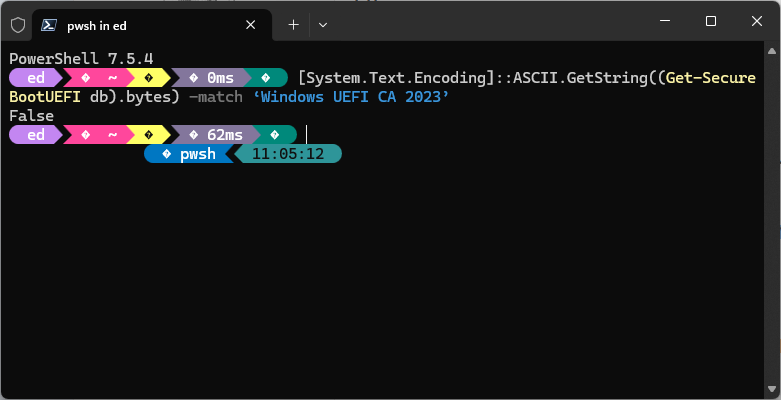
Although I’m resigned to living without secure boot on the B550-based desktops here at Chez Tittel, that doesn’t stop me from trying other fixes from time to time. Indeed, I discovered a great thread about secure boot keys at ElevenForum, and learned more about what’s going on under the hood. Along the way, I gave myself a terrific scare as I saw more secure boot oddities accumulate. Here’s what happened…
Registry Key Change Helps Secure Boot Oddities Accumulate
One must provide Windows with a a couple of instrux to ask the OS to update secure boot key certificates, to wit:
Set-ItemProperty -Path “HKLM:\SYSTEM\CurrentControlSet\Control\SecureBoot” -Name “AvailableUpdates” -Value 0x40
Start-ScheduledTask -TaskName “\Microsoft\Windows\PI\Secure-Boot-Update”
One is then instructed to reboot Windows twice to get those instructions to work as they’re intended to. What it doesn’t say is that strange things might happen before the first reboot occurs.
Black Screen, No UEFI — No Nothin!
I about had heart failure when I rebooted my PC this morning and the Flo6 came up black with no normal boot sequence. No Asrock logo, no instructions to hit Del or F1 to load EFI, no F11 for boot menu. There’s not much one can do to fix a Windows PC that won’t do anything, short of taking it into a shop.
So I turned off the power supply, then hit the power button for 10 seconds to make sure all the capacitors got discharged. Then I took a break and walked away from the machine for 10 minutes. Then I powered on again. Phew! This time, the Asrock logo appeared, and it booted into Windows 11. To my great relief, the second reboot was no big deal, and I was glad.
Here in Windows-World, you can make big changes without incurring at least some risk. This morning, I wondered if I’d bitten off more than I could chew. I even wondered if I’d bricked the Flo6. Thank goodness, I had not. I’ll take that as a win, even though you can see in the lead-in graphic that 2023 keys remain absent on this PC. Go figure!

