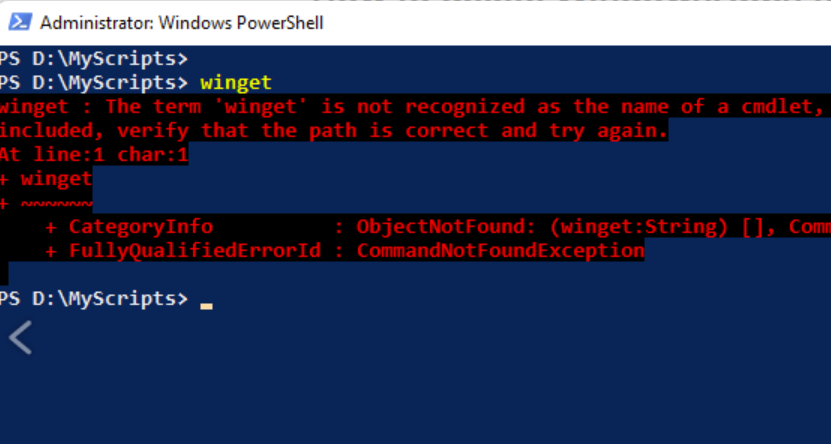
Every once in a while, Windows throws you a problem so strange, so deep in the plumbing, that you can’t help but treat it like a spelunking adventure. Over the past week, I’ve worked through one of those rare cases. Copilot ultimately helped diagnose it as a completely broken WinGet (aka Microsoft.AppInstaller) stack. Apparently, it came from corruption inside the WindowsApps directory. That’s the protected, TrustedInstaller‑owned home for all MSIX/AppX packages. I worked through a recovery process that touched ACLs, reparse points, Safe Mode, user‑level activation, and the PATH environment itself. Ultimately and fortunately, it ended with WinGet weirdness finally whacked.
Getting to WinGet Weirdness Finally Whacked
The symptoms were deceptively simple: WinGet wasn’t recognized, App Installer wouldn’t register, and the user‑level WindowsApps folder lacked key shims. Alas, the root cause was far deeper. The system‑level C:\Program Files\WindowsApps directory had partially corrupted ACLs, preventing enumeration that blocked TrustedInstaller from working. Even elevated tools couldn’t see its innards.
The breakthrough came in Safe Mode, where Windows releases some of its usual locks. Using takeown and icacls, I forcibly reclaimed ownership and permissions long enough to inspect the directory. Hundreds of previously invisible entries suddenly appeared — confirmation that the ACL choke point had finally broken open.
From there, I rebuilt the directory’s security model: restoring SYSTEM and TrustedInstaller with full control, removing inheritance, and returning ownership to TrustedInstaller. With the system-level store healthy, I exited Safe Mode (after discovering that msconfig, not BCD, was trapping the machine there) and rebooted into normal Windows.
Repairing WinGet/Microsoft.AppInstaller
Next came the App Installer repair. The system package was still resident, but user-level registration was MIA. I downloaded the official MSIX bundle, reinstalled it, and then manually re‑registered the package using its AppxManifest. That restored the user‑level WindowsApps directory and recreated the shims — including winget.exe.
But one last puzzle remained: even with the shim present, Windows still didn’t recognize the command. The culprit turned out to be the PATH. During the earlier corruption, Windows had silently dropped this critical entry:
%LOCALAPPDATA%\Microsoft\WindowsApps
Without that, no packaged app alias can resolve. Adding it back with setx, signing out, and signing back in finally brought the entire chain back to life. winget -v lit up instantly.
In the end, the repair touched nearly every layer of the Windows package‑servicing stack: NTFS ACLs, TrustedInstaller ownership, AppX registration, user‑level activation, and environment variables. It was a rare, deep, and oddly satisfying recovery — the kind of fix you document not just for others, but for the story it tells.
And now WinGet is fully operational again.
I’m celebrating the occasional “happy ending” that’s so rare in Windows-World. If you’re lucky you’ll never have cause to do likewise. But if this ever happens to you, here’s a trail of breadcrumbs to lead you out of that forest…

