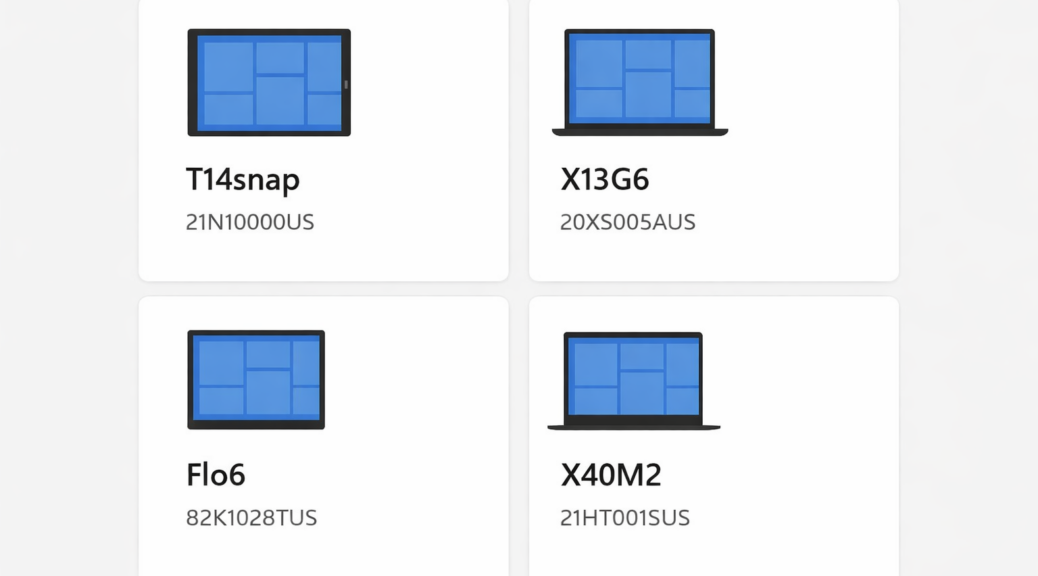
Every so often, Windows throws you a curveball that feels less like a bug and more like a ghost story. One of the stranger ones I’ve run into lately is what I’ve started calling “device zombies.” This is a state where Windows believes a device is still alive, or the Microsoft Store insists it’s still alive and kicking. Here at Chez Tittel, I know I sent these devices back to Lenovo, Dynabook or Panasonic up to 5 months ago. That’s why I declaim, in shock and horror: “Device zombies roam among us!” Let me explain…
Proving Device Zombies Roam Among Us
In my case, I often get and return as many as a dozen computers a year on loan from their makers. You’ve read my unboxing, intake, and other stories about them. Right now, through the lens of https://account.microsoft.com/devices (that’s where you login to check devices registered to some specific MSA) I can see four Zombies plain as day:
- T14Snap: A ThinkPad T14s Snapdragon based laptop I returned to Lenovo in November, 2025.
- X13G6: A ThinkPad X13 Gen 6 intel based laptop I returned to Lenovo in January, 2026.
- Flo6: The previous incarnation of my current production desktop based on the flaky and frustrating ASRock B550 Extreme4 mobo. I just decommissioned this over the weekend.
- X40M2: A Dynabook (formerly Toshiba) Portege X40-M laptop that I returned to Dynabook in January, 2026
When I first checked this out over the weekend, I had 3 more such items showing, but I used the “Remove your device” pane shown for the X40M2 in the lead-in graphic to drive another stake in their hearts. Some of these appear to have caused them to shuffle off the device list, if not the mortal plane.
Sames Goes For Store, But…
The same page in the account. microsoft.com hierarchy has an entry for Microsoft Store device management. It purports to show a list of devices linked to that online asset. But mine keeps coming up empty, even though right now some attempts to install new software tell me I’ve exceeded my device limit. Note the text at lower left in the screencap that reads “Device limit 0 of 10” (no more new ones will be accepted).
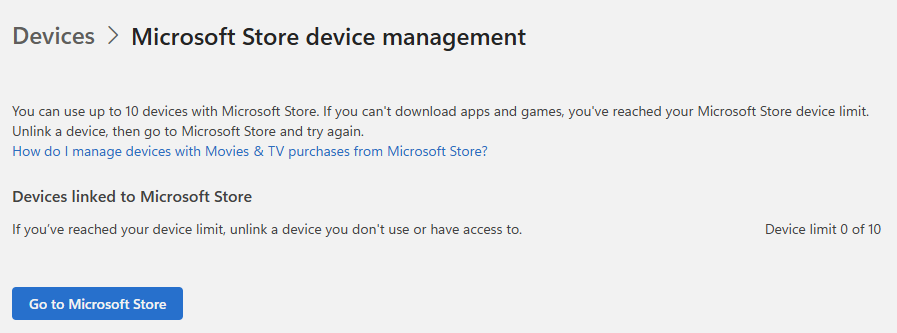 It’s even harder to kill zombies when you can’t point an interface at them to order their removal. Thus, these might be considered zombie ghosts because they’re there, but you can’t seem ’em.
Time Cures All Ills, Even Zombies
Turns out that the Store and the MSA Device Log use telemetry to maintain the list of supposedly live items. Thus, when I sent the units back to their makers, they reset their “life timers” by up to 90 days when they fired them up (and opened my MSA login, even if they didn’t use it) before resetting and reimaging them for their next reviewer. At some as-yet-unknown future point in time, though, these machines should vanish from the device list for my MSA. I can only hope the MS Store will treat them the same way…
In the future, here’s what I need to do to prevent Zombies from remaining in my lists:
-
- Remove them from the list while they’re still under my control
- Reset the Microsoft Store (wsreset -i) to kill lingering cache associations
- Reset the PC so it can’t generate another login to my MSA
As with so much else in Windows-World, the best way to stay out of “Zombie trouble” is never to get into it in the first place. Going forward, I’ll be sure to keep that in mind.

