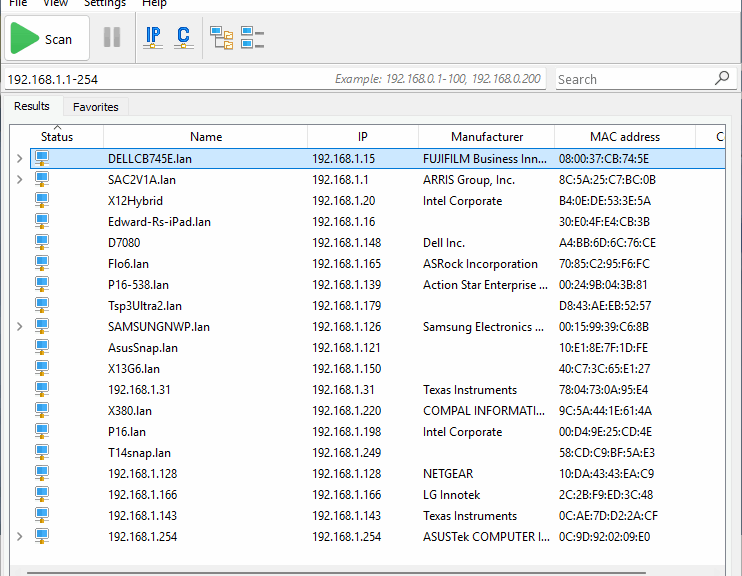
Ooo wee ooo… Things got weird here at Chez Tittel this week. On Tuesday, I blogged about moving my Main display from left-hand monitor (1) to right-hand monitor (2). It gives improved visibility to the notification area. Alas, that screen priority change breaks Advanced IP Scanner, a favorite remote access monitoring and management tool of mine. Buckle up, kids: this is how the weirdness crept in…
How Screen Change Breaks Advanced IP Scanner
It drove me crazy, in fact. After the switchover, if I ran Advanced IP Scanner (I’ll abbreviate it as AIS from now on), it would launch. I’d see the window open briefly, and move to the right of my right-hand screen. Any attempts to bring it back into a visible spot on either monitor didn’t work. And it showed up on the Taskbar thumbnail as an empty white box.
Only when I went back to Settings > System > Display and reset the left-hand monitor as “Main display” did AIS reappear in viewable form. I’ve seen some quirks and oddities in my 30-plus year history with Windows, but this one ranks right up there near the top.
Because I have to choose between using AIS and easier access to the Notification area, I’m going with AIS (and have restored (1) as the main display). Why? Because I’m always messing with other PCs on my LAN and I like to remote into them. AIS makes it dead simple to open a Remote Desktop Connection into them via their current IP address. Local address tables get flaky when, as I often do, I switch units between Wi-Fi and wired Ethernet. So I’m choosing convenience over visibility.
And boy howdy, is that the way things sometimes go here in Windows-World. All I can say is “Happy Friday!”


I’ve never seen anything like that with dual monitors. AIS is a lifesaver, though, so I totally get why you’d switch back
Wow, that’s such a weird and specific Windows quirk! It’s funny how a simple display setting can completely break a useful tool like Advanced IP Scanner.