Category Archives: Windows tools

New Ventoy 1.0.66 Version Available

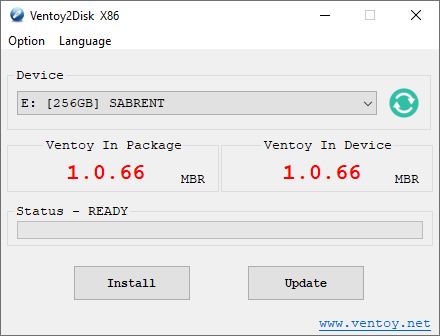
Thanks to Martin Brinkmann at Ghacks.net, I just learned there’s a new Ventoy 1.0.66 version available. Among other cool features, it now supports an “experimental” (beta) feature to boot most supported image formats from a local disk. Check out the GitHub page and its  documentation page at Ventoy.net for a complete recitation.

With New Ventoy 1.0.66 Version Available, Grab One!

I’ve been writing about Ventoy since April 2020, when I first learned about this outstanding tool. Here’s my first-ever Ventoy item: Bootable USB Tool Ventoy (Win10.Guru). The Ventoy,net site has long since overcome its initial underprovisioning issues. Indeed, the tool is now available through both GitHub and SourceForge as well. It’s also added lots of bells and whistles along the way.

If you don’t already know and use this tool, you owe it to yourself to check it out. Be sure to check out the many content items on the Ventoy Document page for news, how-tos, explainers, and information about the tool’s growing collection of interesting plug-ins.

Make Ventoy Your Go-To Install/Repair Tool

Right now, I’m still using a 256GB SSD in a Sabrent NVMe drive caddy (USB 3.2 Gen 2) for my collection of tools and images. I have 29 images on the drive, which include many versions of Windows 10 and 11, plus the Microsoft Diagnostics and Recovery Toolset (DaRT), the MacriumRescue ISO, BOOTPE.iso, various memtest utilities, and more.  I’ve still got 94 GB of disk space free on the drive and will no doubt keep adding to it over time.

It’s a great tool: worth downloading, using, and updating as needed. Cheers!


Facebooklinkedin
Facebooklinkedin

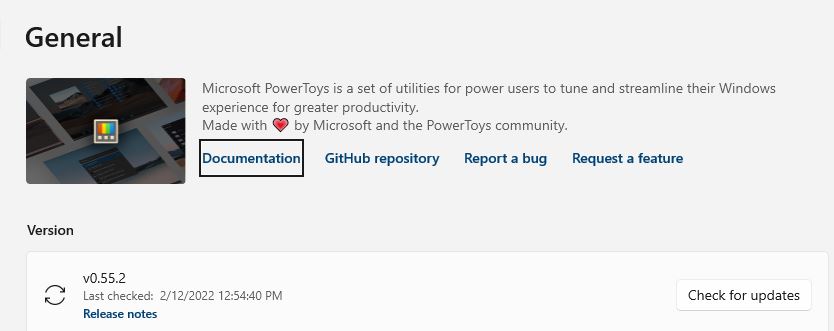
PowerToys 55.2 Fixes Things Up

If you read this blog regularly, you may be aware that in early January I reported about a fix for a strange Zoom issue. Seems that for some odd reason, the Mute Video Conference feature in PowerToys when enabled clobbers Zoom. Turn it off in PowerToys, and it works again. A workable, if not entirely satisfactory, repair. I’m pleased to report that PowerToys 55.2 fixes things up. I have a feeling it’s .NET related and comes thanks to the tool collections update to the .NET 6 framework and so forth.

But hey! I’ve been busy for the past two weeks. Cliff Rutkas and his team could’ve slipped an earlier fix past me. Be that as it may, I can now use both the Video Conference Mute feature in PT55.2 *and* Zoom on the same PC. Good-oh!

PowerToys 55.2 Fixes Things Up . . . and More!

While I’m on the subject of PT (any version) I’d like to extend my further thanks and appreciation to that team for the work they’ve done on the toolset lately. Installation has become much more routine. There’s been no need to stop mid-way through the initial “turn off old components” section lately, jump into Task Manager, and kill stuff before the installer can proceed. Instead, the process sails through to completion without human intervention — just the way I like it!

This tool is definitely gaining polish and capability. I had already liked it quite a bit. Now I like it even more. If you’re not familiar with PT be sure to check out (and read over) its documentation. It will definitely clue you in, and get you going with this terrific Windows toybox full of handy little tools.

Facebooklinkedin
Facebooklinkedin