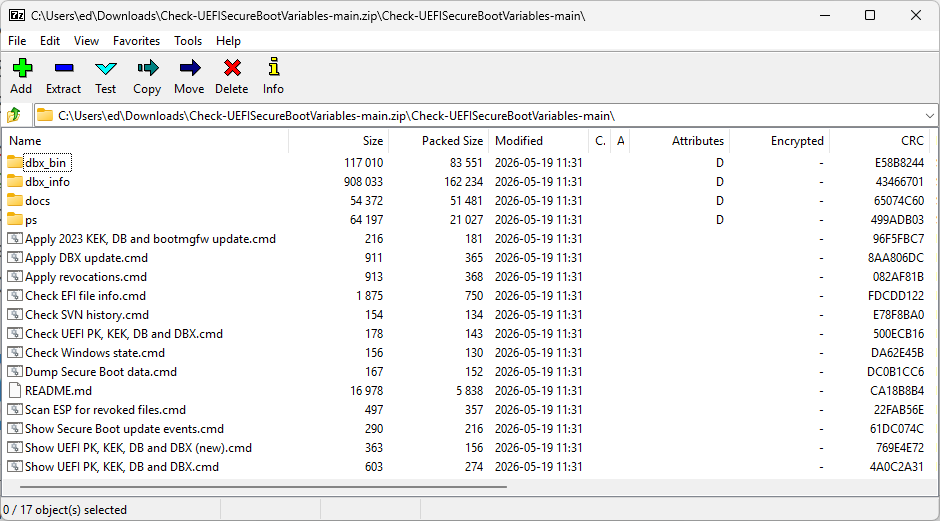
Yesterday, I read my way through the latest AskWoody newsletter. In Susan Bradley’s article “Check Those Browsers” I found reference to Secure Boot checks: “If you merely need to run a script to check the UEFI KEK, DB, and DBX Secure Boot variables, you can use this one.” Because the source wasn’t directly named, I followed that link to access cjee21’s scripts entitled Check-UEFISecureBootVariables at GitHub. And there, I found another toolset for Secure Boot Checks — and a good one, too.
Why Grab Another Toolset for Secure Boot Checks?
You can (and probably should) visit GitHub to grab cjee21’s Check-UEFISecureBootVariables. At the time of writing it’s sitting at 226 stars and was updated two days prior — such active maintenance on a niche diagnostic utility is a good thing. This is the tool you want when your first question is “What do I actually have on this machine?”
Its orientation is forensic and inspection-first. It surfaces everything inside the UEFI Secure Boot variable store: PK, KEK, DB, DBX, event logs, and XML dumps of the full variable contents. Most people working a CA-2023 compliance problem have never actually looked at those variables directly. This tool makes that straightforward.
Two specific components stand out for CA-2023 work:
- Check EFI file info.cmd — This is the direct answer to what Get-AuthenticodeSignature lacks. Point it at an .efi file and it explicitly tells you which CA signed it (CA-2011 or CA-2023), along with the SVN, SBAT level, and raw version data. That’s the specific question you must answer, and this specific tool answers it.
- Scan ESP for revoked files.cmd — This one scans EFI binaries on a drive against the live Microsoft DBX revocation list. If you’re checking USB boot media for compliance — a Ventoy stick, a WinPE drive, a rescue environment — this is the fastest way to know whether anything on it has been revoked.
Don’t Forget the Garlin Scripts (ElevenForum)
Cjee21’s scripts show and tell you what you’ve got. Garlin’s ElevenForum Scripts tell you what to do about it. This pair of scripts: Check_UEFI-CA2023.ps1 and Update_UEFI-CA2023.ps1, are action-oriented where cjee21’s tool is inspection-oriented. At 38 GitHub stars it’s a smaller project, but it was updated approximately two weeks before writing and recent commits show active refinement, including a fix for a bug in SVN signature data ordering. The associated forum thread is VERY active, and usually gains 2-3 pages per day.
The workflow is deliberately linear and guided: run Check_UEFI-CA2023.ps1 to assess your current CA-2023 status, then run Update_UEFI-CA2023.ps1 to fix whatever it finds. The scripts source certificates from \Windows\System32\SecureBootUpdates and the official Microsoft Secure Boot Objects repository, so you’re not pulling from unofficial or unverified sources.
A few things make the Garlin scripts especially helpful:
- USB removable media support — It handles boot file updates for USB recovery media like Macrium Reflect drives and similar tools. This is a gap that most documentation quietly ignores.
- Broader architecture coverage — x64, x86, arm64, and arm are all supported, which gives it wider applicability than you might expect from a community script.
- Accessible for non-specialists — The guided, opinionated workflow means you don’t need deep UEFI expertise to use it. The script makes the decisions; you confirm them.
Complementary, Not Competitive
Again: the cjee21 scripts show you what’s what with Secure Boot on a Windows PC, at a deep level of detail. More than many of us want to know, in fact. The Garlin scripts tell you what to do about your current status, and help you set things right on installed systems and for bootable media. A great combination, well worth exercising. Give them a try, if you haven’t already.

