As I was reading a Windows Latest article about a “…special Windows 11 for power users…” this morning, I found myself wondering. “Could this be a big, fancy WinGet config file at work?” Indeed, reading further into the story absolutely confirmed my hunch. The file in question, in fact, is named winget.config, in keeping with current naming conventions around desired configuration states. Thus, it’s simple truth that Winget.Config drives “Developer Config” as described in the story (and at MS Learn as well).
WinGet.Config Drives Developer Config from End to End
The MS Learn article‘s intro paragraph is worth quoting in full to put this capability into clear context:
Windows Developer Configurations are a curated, open-source collection of configuration files that take a fresh Windows machine to a ready-to-code state with a single command. Each config is a declarative file that is safe to re-run. It describes the packages, OS settings, and post-install steps for a specific scenario (a full developer workstation, a comfortable WSL shell, or a single language toolchain), so you can rebuild your environment on any machine without clicking through installers or maintaining custom scripts.
Windows Developer Config is built from the ground up on winget configure and a single .winget desired state configuration (DSC) file named dev-config.winget. It is not a new Windows SKU, a custom ISO, nor a registry script. The whole thing is one winget configure call pointing at that file.
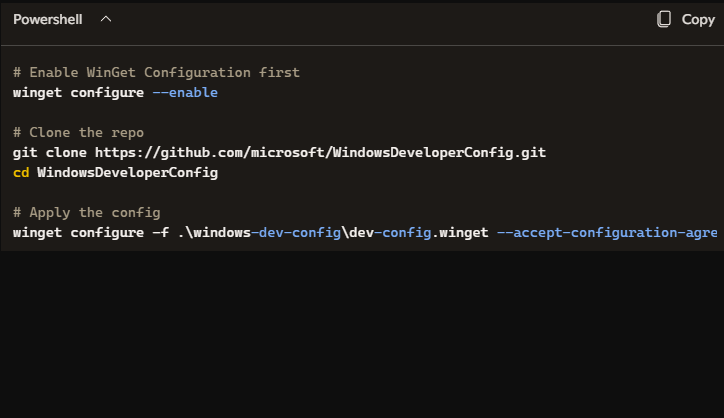
The commands necessary to instill this configuration are (mostly) shown in the lead-in graphic. I repeat them here for completeness’ sake (and for easy cut’n’paste, by copying non-comment lines completely):
# Enable WinGet Configuration first

winget configure --enable
# Clone the repo
git clone https://github.com/microsoft/WindowsDeveloperConfig.git
cd WindowsDeveloperConfig
# Apply the config
winget configure -f .\windows-dev-config\dev-config.winget –accept-configuration-agreements –disable-interactivity
More About WinGet.Config
That .winget file is a YAML-based DSC manifest that handles everything in one shot: installing PowerShell 7, Git, GitHub CLI, VS Code, .NET SDK, Python, Node.js, PowerToys, setting up WSL with Ubuntu, tweaking Windows Terminal defaults, enabling Developer Mode and long-path support, and applying a long list of Explorer/Start/Search/Widgets settings to declutter the UI.
Indeed, Project Zenith hardware ships with those same changes baked-in by the OEM. But the underlying mechanism Microsoft used to define and apply that configuration is exactly the same winget configure + .winget file approach. In fact, the .winget config file format is doing real work here. That is, it’s not just installing apps; it’s functioning as full-blown Windows DSC, a notable expansion beyond what most people think winget does.
Here in Windows-World, it’s great to see real innovation put to useful work. Demitrius Nelon, the head of the WinGet team, has told me several times over the past few months that .winget configuration files represent a way to customize Windows seriously in one go. Now, I think I understand what he was getting at. Great work, guys!

